Which products ChatGPT and Alexa recommend, and how that changes over time
AI shopping answers differ per engine and drift week to week. What to track for ChatGPT and Alexa product results, and how to tell a real shift from a blind spot.
Ask ChatGPT for the best waterproof hiking boot under a set budget and you get a row of product cards. Ask again in three weeks and some of those products are gone, others have moved up, and a store you have never heard of is now the one getting the click. Ask Amazon Alexa the same question and you may get a different set again.
None of that is unusual. It is what AI shopping answers do. The trouble starts when an ecommerce team checks once, takes a screenshot for the quarterly deck, and treats it as the state of things. A single answer is one draw from a moving system. What you want to know is which products each engine tends to recommend for your buying questions, and which way that is heading.
This guide covers how to read shopping recommendations per engine and over time, which three things to watch, and why a change on the engine's side can make your tracking go quiet without anything real having happened.
Why one snapshot tells you so little
Shopping blocks attach to individual responses. The same prompt can return a product carousel on Monday and plain text on Tuesday. When a carousel does appear, the products in it are not fixed either. So a manual spot check answers a narrow question: what did this engine show me, at this moment, for this exact wording, from my location.
Neither OpenAI nor Amazon publishes how products are picked for these answers. That matters for how you read your data. When a product drops out, you will not find a documented reason. You can only see the pattern and test hypotheses against it: did a price change on our side, did a product page change, did a reseller start stocking the item, did the engine change how it shows products. The pattern is the evidence, and you only get a pattern by running the same prompts on a schedule and keeping every answer.
ChatGPT and Alexa are different shelves
It is tempting to roll both engines into one "AI shopping" number. Resist it.
ChatGPT shows product carousels inside a written answer, and the shopper can keep asking follow-up questions. Alexa product results come from Amazon's assistant, and the question is often phrased the way people speak. These are two surfaces with their own selection logic, and we have no published basis to assume one predicts the other. A product that leads on ChatGPT can be missing on Alexa for the same intent, and the reverse.
So the first cut of any shopping report should be by model. Look at ChatGPT on its own, then Alexa on its own, and only then compare. If you blend them, a gain on one engine can hide a loss on the other, and you will spend a month wondering why the total looks flat while a product line quietly disappears from one of them.
Country is the second cut. In Promptwatch, a monitor's language and location are fixed once you create it, so each monitor is one market. Reading products per monitor keeps a UK answer from being averaged with a German one.
What to look at: appearances, position, merchants
Three measures carry most of the signal.
Appearances. How many tracked answers a product showed up in during the period. This is your reach measure. It depends on how many prompts you track and how often they run, so compare products against each other inside the same filter rather than treating the raw count as meaningful on its own. A product that goes from appearing in a large share of your answers to a handful is the headline of any week.
Average position. Where the product sits in the list when it does appear, averaged over its appearances. Lower is better. On its own, position flatters rare products: one appearance in first place reads as a perfect average. Always read it next to appearances. The products worth worrying about are the ones with many appearances whose average position is sliding back, because that is a shelf you hold and are slowly losing.
Merchants. Which store the answer sends the buyer to. This is the measure brands tend to skip and the one that most often surprises them. Your product can be recommended and the click can still go to a marketplace or a reseller. For a brand that sells direct, that is a different problem from not being recommended at all. The fix is also different: one is about the product being chosen, the other about which seller gets credited for it.
Reading drift over time
Once you have those three measures per model and per market, drift is something you can see instead of argue about.
Pick a fixed window and compare it with the one before. Thirty days against the previous thirty works for most categories. A 90-day view is better for spotting slow slides in position that a monthly comparison makes look like noise. Then go through the product list with a few plain questions:
- Which products entered the answers this period that were not there before? New competitors tend to show up here first.
- Which of our products left, and on which engine?
- Where did average position move by more than a place, and did appearances move with it?
- Did the top merchants change for products we sell direct?
Write down what you find with the date and the filters you used. When something moves, check the obvious causes on your own side first, such as price, stock, the product page, or a new reseller. If nothing changed on your side and the move is limited to one engine, that is a fact worth reporting even if you cannot explain it yet.
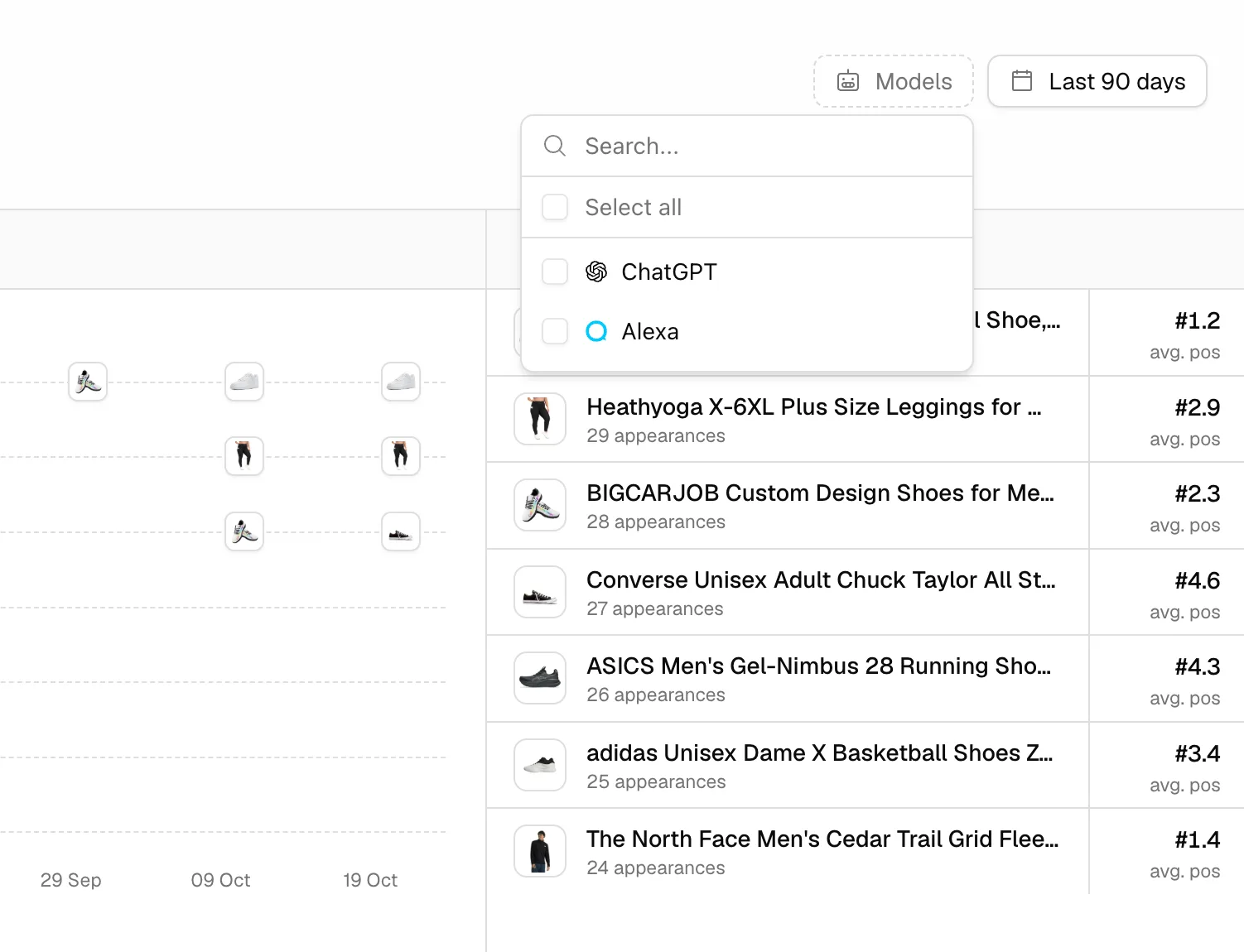 Promptwatch Shopping filters by model and date, from the Promptwatch changelog (October 16, 2026). Example project data.
When the engine changes and your tracker goes blind
Here is the failure mode most teams never plan for. AI engines change how they show answers, and a tracker that reads those answers has to keep up. When the format changes and the tracker does not, products stop being read. Your chart drops, and the drop has nothing to do with what shoppers see.
This happened in October 2026. ChatGPT switched to a new product card format around October 15. Promptwatch's changelog for November 6 says Shopping now reads that new format, and that answers collected since the switch were read again so their products show up. Until that fix, products in the new-format answers were missing from the Shopping data. For roughly three weeks, any ChatGPT shopping trend line could have shown a decline that was really a reading gap.
Two lessons come out of that, and both apply to any tool you use.
First, learn to recognize a measurement event. A real market shift usually hits some products and not others. A parsing gap tends to hit everything on one engine at once, starting on one date. If every product you track falls on ChatGPT in the same week while Alexa looks normal, open the raw responses before you open a strategy meeting. If the cards are visibly there in the answer and missing from the report, it is the tracker.
Second, history only gets repaired if the full answers were kept. Promptwatch could re-read three weeks of responses because it stores them. A tool that only saved the products it managed to parse at the time has nothing to go back to, and that gap stays in your data. When you evaluate shopping trackers, ask what happens to old answers when an engine changes its format.
The same day's changelog fixed a smaller issue that matters for merchant analysis: Top Merchants now lists products without a merchant link under the merchant's name, instead of leaving the chart empty. If you looked at merchants before November 6 and saw blanks, look again.
Keep a short annotation log next to your shopping reports with dates like these. Six months from now, someone will ask why late October looks strange, and you will want the answer in one line.
A weekly routine for ecommerce teams
Once the prompts are set up, this is one short session a week.
- Open the Shopping overview, set the date range to the last 30 days, and filter to one engine. Start with ChatGPT.
- Sort by appearances. Note any of your products that fell out of the top of the list, and any new competitor product that entered it.
- Check average position for your five or ten most visible products. Flag anything that slid back while keeping its appearances.
- Open Top Merchants for those products. Note where the click goes, and whether that changed.
- Repeat for Alexa. Do not merge the two lists.
- If you sell in several countries, switch the monitor filter and run steps two to four per market.
- Before you report a drop, scan the product's raw answers and the Promptwatch changelog for format changes on that engine.
- Pick one product to act on this week, whether that means its page, its price, or a merchant listing, and write down the date so next month's comparison has a reason attached.
The setup itself, uploading your catalog with the right product IDs and writing prompts that tend to trigger carousels, is covered in our guide to tracking products in ChatGPT Shopping. For the Alexa side in more depth, see what brands can measure in Alexa product results.
Doing this in Promptwatch
You can run a small version of this by hand: a spreadsheet, a fixed prompt list, and a weekly session asking each engine. It works for ten prompts and one market. It stops working when you need two engines, several countries, and position data across 90 days, and it gives you no way to repair history after a format change.
The practical way to run the routine above is ChatGPT Shopping in Promptwatch. It reads product results from ChatGPT shopping carousels and from Amazon Alexa, both tracked through the real interfaces, and matches them against a catalog you upload. The overview filters by AI model and date range (added October 16) and by monitor (October 28), so the per-engine, per-market reading in this post is a filter change rather than a new export. Agent Chat, the MCP server, and the API accept a monitor too, so you can ask for a product ranking in one country without building it yourself. Since November 6, the Agent Chat panel also opens on the Shopping page and answers from what is on screen.
ChatGPT Shopping is on the Business plan ($579/mo) and Enterprise. It is not part of the agency plans. Business has a 7-day free trial on monthly billing, which is enough to run the weekly routine once against your own catalog and see whether the data answers your questions. You can start the trial from the pricing page.