Best AEO tools for startups (2026)
AEO tools for startups on a small budget: free checks first, category prompts with real demand, coding agent visibility for dev tools, and Essential vs Professional.
Startups have an unusual AEO problem. An established brand worries about how AI describes it. A startup usually has to get mentioned at all, often in a category buyers do not have a name for yet. Nobody asks ChatGPT for you by name. They ask how to solve the problem you solve, or which tools exist for it, and the answer names the incumbents.
That changes what a startup should buy. You do not need enterprise dashboards. You need to know which questions are worth winning, whether AI crawlers can read your site, what the engines cite in your category, and a cheap way to watch whether that changes. This guide ranks AEO tools for that job. Competitor details come from our directory. Promptwatch details come from its plan matrix, free tools page and data reports.
Start with the free checks
Before paying for anything, spend an afternoon on tools that cost nothing.
Promptwatch's free tools. The AI Visibility Report scans ChatGPT, Gemini and Perplexity without a login and returns a visibility score plus a check of whether AI crawlers can reach your site. The Agentic Readiness Check tests your robots.txt against nine AI crawlers and looks for llms.txt, MCP server cards, A2A agent cards, OAuth discovery and Content Signals. The GEO Inspector Chrome extension shows, inside ChatGPT, the fan-out searches behind an answer and which fetched sources were actually cited. It is free, runs locally and needs no sign-in. There is also a robots.txt generator for AI, an llms.txt generator and a ChatGPT Query Fan-Out Generator.
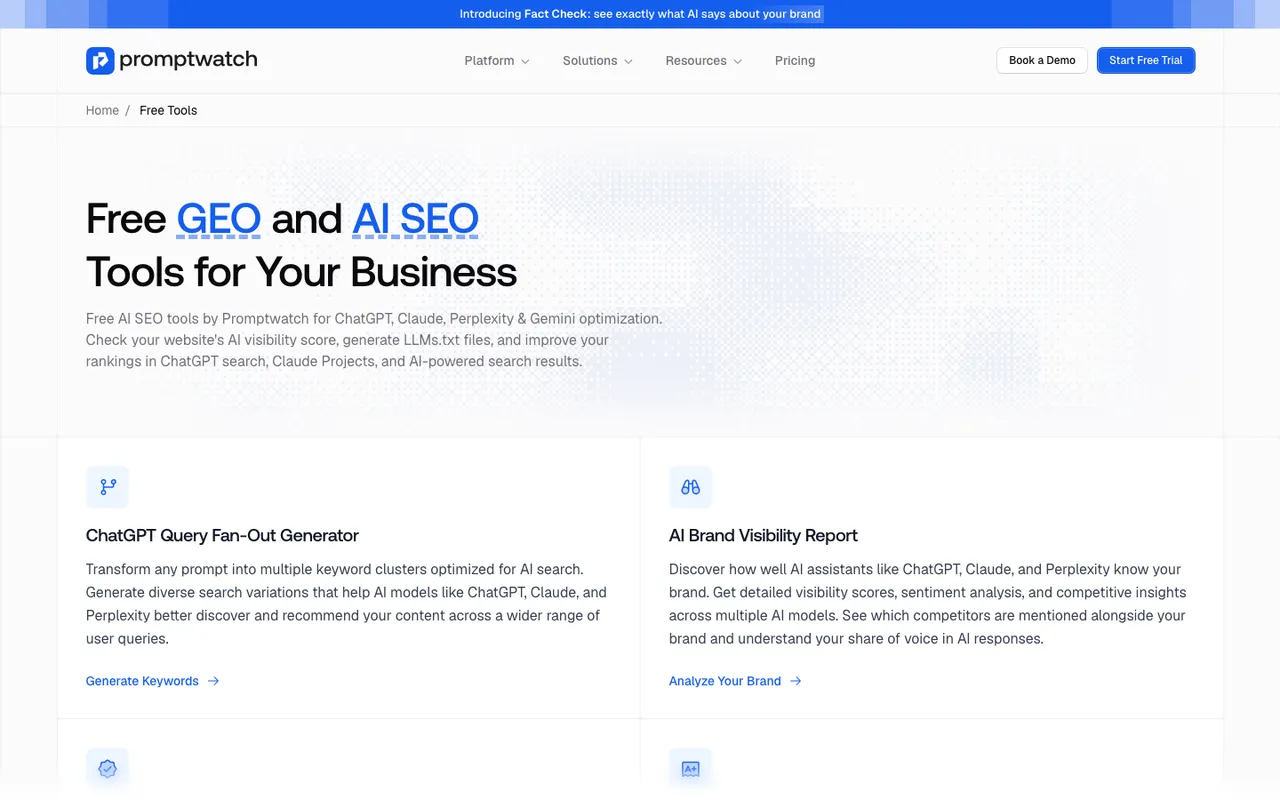 Promptwatch's free tools page, captured November 14, 2026.
HubSpot AI Search Grader. A one-time check that asks ChatGPT, Perplexity and Gemini how they describe your brand from training data and scores five dimensions. For a brand-new startup it mostly confirms that the models have not heard of you yet, which is still worth knowing.
Cloudflare AI Crawl Control. If your site runs behind Cloudflare, this free dashboard shows which AI crawlers request your pages and lets you allow or block each one. On the free Cloudflare plan it identifies crawlers by user agent only.
Fix what these turn up first: a robots.txt that blocks GPTBot or ClaudeBot, missing pages, a homepage that never says plainly what the product does. None of that needs a subscription.
Pick prompts that have demand
The most common startup mistake in AEO is tracking prompts nobody types. Founders write questions in their own vocabulary, which is often not the buyer's.
Promptwatch's Prompt Volumes shows monthly volume, a difficulty score and citation rates for prompts across AI search, Google and Bing. Prompt Explorer suggests prompts from your Search Console queries, your ranking keywords, People Also Ask and any page on your site, so you can start from questions people already search.
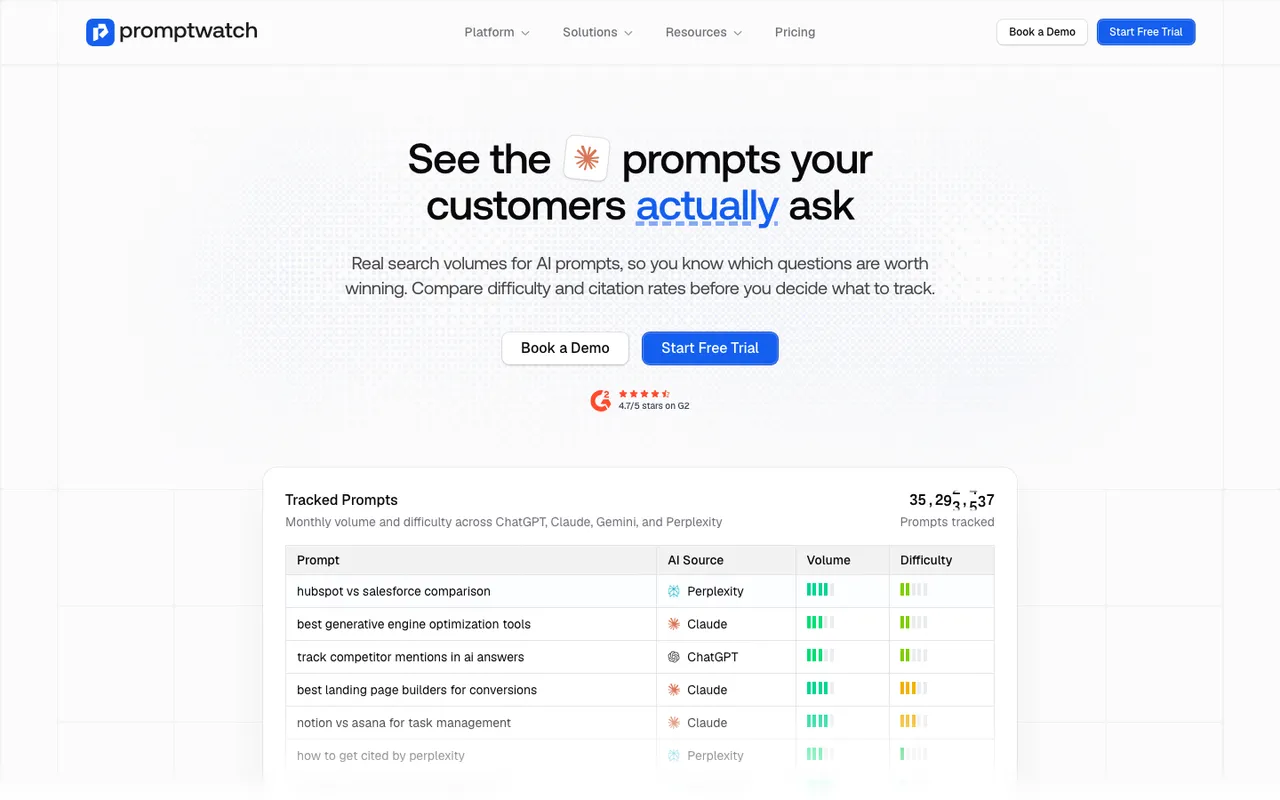 Promptwatch's Prompt Volumes page, captured November 8, 2026.
For a category-creating startup, build the prompt set in three layers:
- Problem prompts: "how do I stop X", "why does Y keep happening". Low competition, and often where a new product can be named first.
- Category prompts: "best tools for X", "X software for small teams". This is where incumbents sit and where you need to appear eventually.
- Comparison prompts: "Incumbent alternatives", "Incumbent vs". These convert well and are where your comparison pages earn citations.
Twenty to forty prompts across those layers is enough to start. Essential's 50 prompts cover it.
Developer tools: track the coding agents
If you sell an API, an SDK or a developer tool, some of the recommendations that matter happen inside coding agents rather than chat. When a developer asks Codex or Claude Code to add payments or auth to a project, the agent can pick the library itself.
Promptwatch tracks what Codex, Claude Code and OpenCode recommend (tools, libraries and docs), next to the chat engines. The create-monitor dialog groups models into AI assistants and search, coding agents, and API models, and every paid plan can track any of the supported engines.
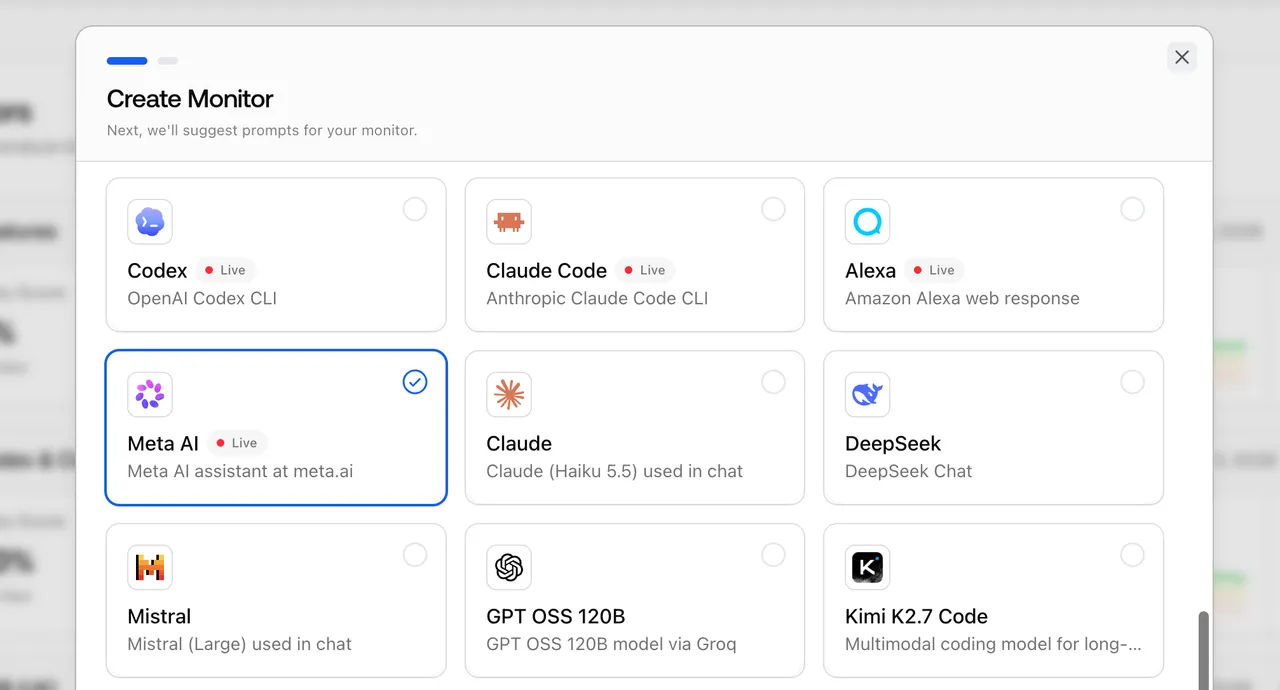 Promptwatch's Create Monitor model picker, from the Meta AI entry in the Promptwatch changelog. Example project.
The citations behind those answers favor documentation. In Promptwatch's report on software prompts in ChatGPT (organic prompts, Sep 28 to Oct 4, 2026), documentation and help centers were the largest source type at 2.64% of software citations, ahead of vendor sites at 2.01% and review sites and analysts at 1.57%. GitHub was the single most cited domain at 1.2% (software citation share, October 2026).
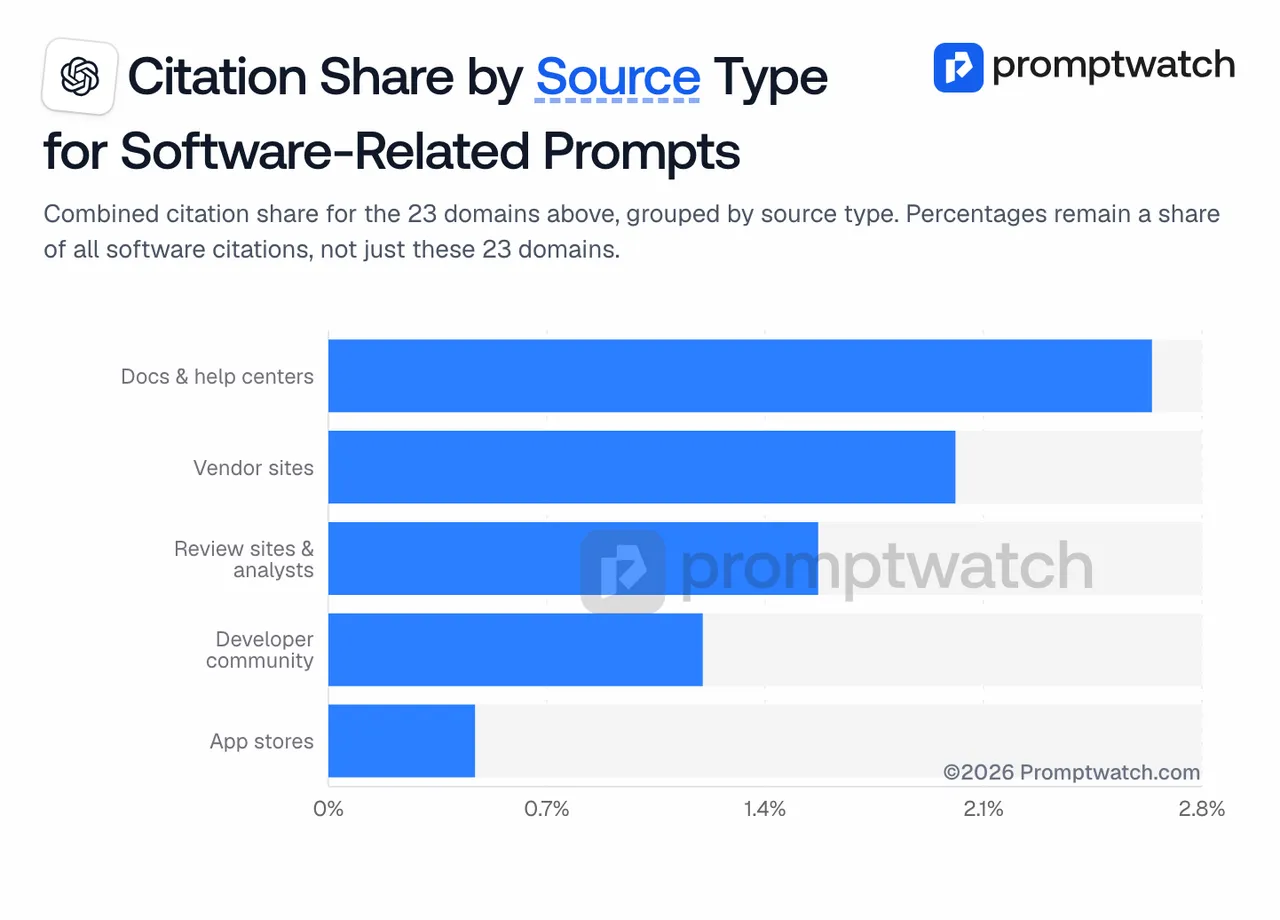 Promptwatch's "Citation Share by Source Type" chart from the October 2026 software citation report, captured November 14, 2026.
For a dev-tool startup, that argues for crawlable docs, a clean GitHub presence and honest comparison pages before any blog program.
The Prompting Company also tracks coding agents (Claude Code, Codex and OpenCode), but in its plan table they first appear on White-glove at $3,000 a month, which puts them out of reach for most startups.
The tools, ranked for startups
1. Promptwatch
Best for: startups that want the free checks, real prompt demand, coding agent tracking and a path to content in one place.
Promptwatch Essential is $95 a month: one project, 50 prompts, 6,000 responses, daily tracking, Agent Chat, visitor analytics (200,000 events), site audits, content gap analysis, Brand Narrative and API and MCP access. Professional, at $245, adds crawler logs, five AEO articles a month, a Knowledge Base and Looker Studio. Both have unlimited seats and a 7-day trial on monthly billing.
Essential or Professional? Pick Essential if you are still finding your prompts and someone on the team writes. Move to Professional when you need to know whether AI crawlers read the pages you publish, or when you want the platform to draft and refresh articles from citation data. For most seed-stage teams, Essential first and Professional after the first month of data is the sensible order.
2. AthenaHQ
Best for: startups that want to try an action queue for free.
AthenaHQ has a free Essential tier with 300 credits, and Starter at $295 a month with 3,600 credits across 11 models. One credit is one AI response, so the free tier gives you a quick baseline rather than ongoing tracking. Bloomreach announced it acquired AthenaHQ on 16 November 2026.
3. HubSpot AEO
Best for: startups already on HubSpot.
HubSpot AEO is $50 a month ($45 yearly) for 25 daily prompts on ChatGPT, Perplexity and Gemini, with a 28-day trial. It does not cover Google AI Overviews or coding agents.
4. Okara
Best for: technical founders who want fixes as pull requests.
Okara ships technical SEO and GEO fixes (schema, llms.txt, canonicals, meta tags) as GitHub pull requests you review and merge. The free plan covers analysis and strategy only; the Coding Agent starts on AI CMO Lite at $129 a month, which tracks 15 AI search prompts. It fixes more than it measures, so it pairs with a tracker.
5. Budget trackers
Rankscale starts at $20 a month on credits, billed yearly. LLM Pulse starts at €49 a month for 50 prompts at weekly cadence, with unlimited seats. Both give a startup a number to watch for very little money, without crawler logs or content tools.
A 30-day plan for a startup
- Week 1: run the free AI Visibility Report and the Agentic Readiness Check. Fix crawler blocks and make the homepage state what you do in one sentence.
- Week 2: start the Essential trial. Use Prompt Volumes and Prompt Explorer to pick 30 prompts across problem, category and comparison layers. Add three competitors.
- Week 3: read the citations on the prompts you lose. Write or fix the one page that matters most: usually a docs page, a comparison page or a clear product page.
- Week 4: check whether the page is cited and whether AI-referred visitors arrive in visitor analytics. Decide whether you need Professional for crawler logs and AEO articles.
For the wider ranking, see what are the best AEO tools.
The recommendation
A startup's AEO budget should go on knowing which questions to win and getting cited for them, not on dashboards. Promptwatch is the tool here that covers the free first look, real prompt demand, coding agent tracking for dev tools and a cheap paid start at $95, with crawler logs and article writing one plan up. Run the free AI Visibility Report on your site today, then pick your first 30 prompts with Prompt Volumes once you start the trial.