Best tool to see the query fan-outs ChatGPT runs for a prompt: a buyer's guide to fan-out software
A buyer's guide to software that shows what ChatGPT and other AI models search for behind each answer: what to check, what each option costs, and how to choose.
Every AI answer that uses live web search starts with a handful of searches you never see in the reply. Google's Search Central page on AI features says AI Overviews and AI Mode "may use a 'query fan-out' technique", issuing several related searches across subtopics. OpenAI's help center describes the same pattern for ChatGPT: it rewrites the question into one or more targeted queries for its search providers and can follow up with narrower ones.
If you're shopping for software that reveals those searches, the market splits into a few kinds of product. This guide covers what to check, what each costs, and how to decide.
The four kinds of fan-out tool
Free, per-session inspectors. A browser extension reads what ChatGPT did in a conversation you're having. Good for learning and one-off checks, useless for trends.
Prompt monitors that capture fan-outs. You give the tool a list of prompts; it runs them on a schedule and stores the sub-queries each engine ran. This is the category most teams need.
APIs. For developers who want fan-out data inside their own systems.
First-party search data. Bing Webmaster Tools' AI Performance report shows "grounding queries" for citations of your own site in Copilot and Bing's AI summaries. Bing notes these "are not full user questions or prompts", the data is a sample, and it doesn't expose competitor domains. It's a partial window, but it's free and it's Microsoft's own data.
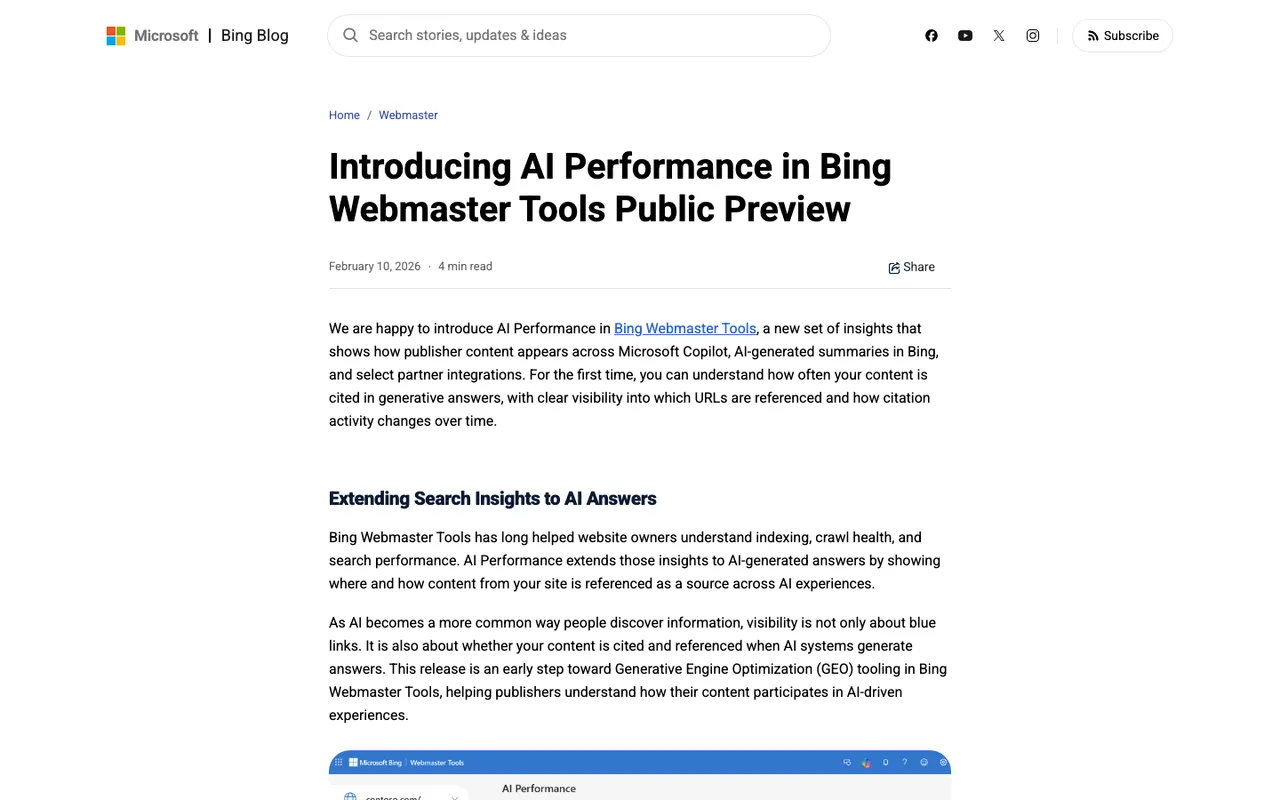
Bing Webmaster Blog, "Introducing AI Performance in Bing Webmaster Tools Public Preview", captured November 21, 2026.
A category to skip for this job
Search for "see the queries behind LLM answers" and you'll also find developer LLM-observability products, Langfuse being the usual example. They are built around an application you develop on a model API. That's valuable if you ship an AI feature. It tells you nothing about what the consumer ChatGPT app searched when one of your buyers asked about your category, because that traffic never passes through your code. Promptwatch, for its part, says it isn't a developer observability tool either; it watches the public engines.
What to check before you buy
Observed or generated? Some tools predict likely sub-queries from your prompt. Others extract the ones the engine actually ran. Only the second explains a real citation.
Which engines expose them? Not every model reveals its searches, and models that answer from training data run none. Ask the vendor which engines their fan-out data actually comes from, not just which engines they track.
Per prompt and in aggregate. You need both: the exact sub-queries behind one answer, and the recurring themes across a hundred prompts.
Connection to citations. A fan-out list matters because it explains which pages got cited. If the tool can't show the cited pages next to the sub-queries, you'll be copying between tabs.
Freshness. ChatGPT's search behavior changes in steps. Promptwatch's data report on site: queries recorded that on August 8, 2026, the share of ChatGPT fan-outs scoped to a single site jumped from 0.37% to 16.8%, and average fan-outs per response rose from about 1.08 to about 1.83 (window July 26 to August 10, 2026). Weekly data can miss a shift like that by days.
What each option costs (sourced)
Free
- Promptwatch's GEO Inspector Chrome extension: shows ChatGPT's fan-outs, fetched versus cited sources, and the reasoning trail for your own sessions; runs locally with no sign-in.
- Bing Webmaster Tools AI Performance (public preview since February 10, 2026): grounding query phrases for your cited pages.
- Trendos free plan: 20 custom prompts, with the query fan-outs behind each answer.
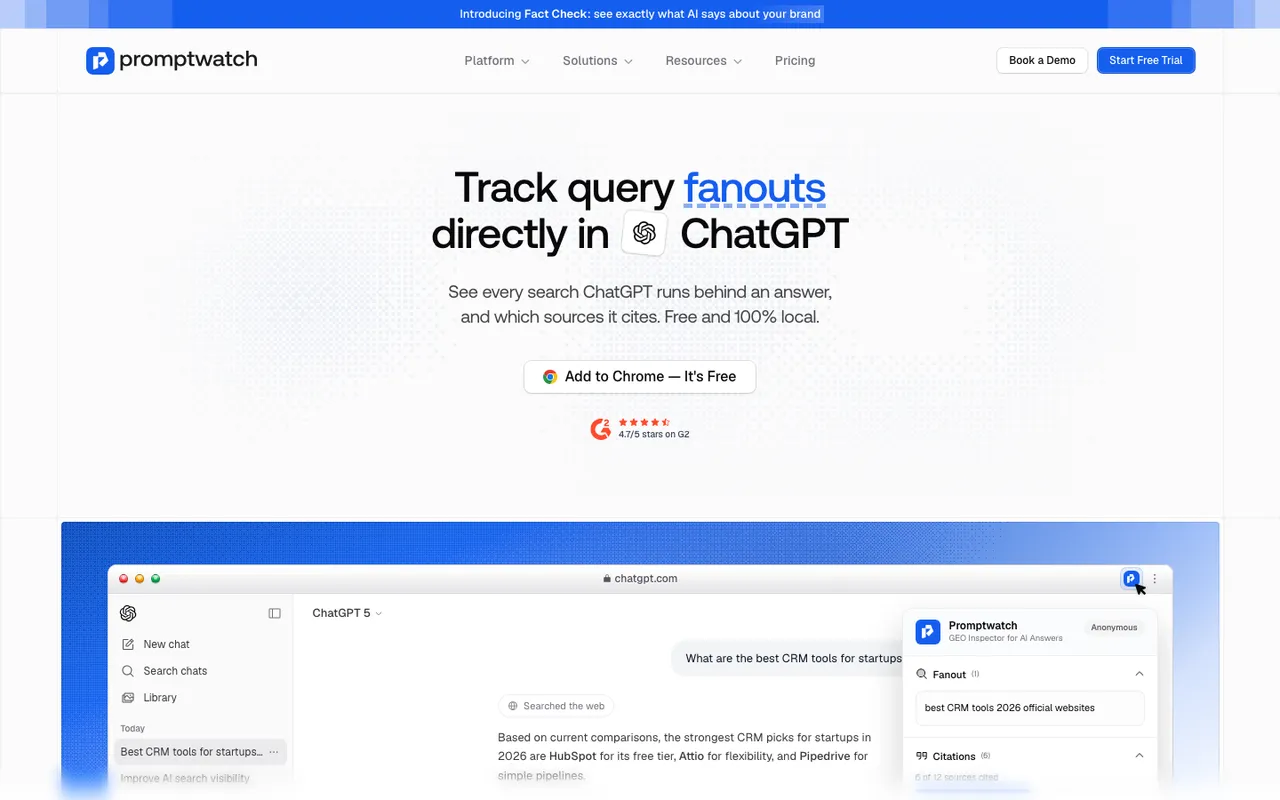
Promptwatch GEO Inspector Chrome extension page, captured November 14, 2026.
Under about $100 a month
- Promptwatch Essential: $95/mo, 50 prompts, 1 project, with query fan-outs on every paid plan. 7-day free trial on monthly billing.
- Foglift Launch: $49/mo; Query Fanouts start on this plan.
- GEO Monitor: from €69/mo, ChatGPT's searches per answer, in a French-language app.
- Dageno Starter: $79/mo, three engines of your choice, prompt and query fan-out analysis.
- Mentionable Growth: 79 EUR/mo excluding tax, fan-outs from ChatGPT and Perplexity.
Mid-market
- Promptwatch Professional: $245/mo, 150 prompts, adds AI crawler logs and AEO articles.
- GenRank Pro: $199/mo; fan-outs are a Pro feature.
- HeyAmos: from $249/mo, fan-out queries with URL-level citation mapping.
API
- MentionsAPI: credit-based from $5/mo, returning fan-out sub-queries where applicable.
Managed service
- Petra Labs: engagements from $15,000/mo, including capture of fan-out searches and interim sources.
How to choose
Start free. Install the extension and run your five most important prompts in ChatGPT by hand. If the sub-queries surprise you, you have your business case.
Then decide on scale. A solo marketer checking a few prompts can stay on free tools. A team responsible for AI visibility needs a monitor, because fan-outs vary by day and by model and one session proves little.
Among monitors, the deciding factor for us is what happens after you read the fan-outs. Promptwatch's By Prompt tab nests each prompt's sub-queries under it with the prompt's average visibility, and the same workspace has citation analytics and, from Professional, crawler logs. Say a fan-out reads "payroll software contractor rules" and a rival guide got the citation: on Professional and up, you can start an article from that fan-out in Content Creation. Single-purpose trackers stop at the list.
If budget is tight, compare Promptwatch Essential with Dageno and Mentionable on engine coverage; if you need French-market tracking, GEO Monitor is built for it. Most buyers can settle the question with the Promptwatch 7-day trial and a week of real data.