Best GEO software with hourly tracking (2026): which tools check AI answers more than once a day
Most GEO tools run your prompts once a day. We read 14 vendors' pages to find which ones document 12-hour, 6-hour or hourly runs, what it costs, and how they keep the quota in check.
Daily is the default in GEO software, and for most prompt sets it is the right default. You run each prompt once a day, compare with yesterday, and read the trend over weeks. But AI answers can move within a day. A launch gets picked up by the engines in the morning, a negative story circulates by lunchtime, a product drops out of a shopping carousel in the afternoon. A once-a-day snapshot sees one of those moments, if any.
That is why a few platforms now let you run prompts every 12, 6 or even 1 hour. This guide covers which ones document that, what it costs in responses or credits, and where the rest of the field tops out.
How we reviewed
We read the product and pricing pages of 14 platforms, captured on November 6, 2026, along with our catalog entries and Promptwatch's public changelog. We did not run any tool. For each, we looked for four things:
- Documented frequencies. Is anything faster than daily stated on the vendor's own pages?
- Which plans get it.
- The cost model. Does a faster run use more responses or credits, and does the tool show you that before you commit?
- Quota safety. What stops an hourly monitor from draining your allowance?
If a page doesn't state a frequency, we say so. A frequency we can't find is not one we will assume.
The short version
Three platforms document sub-daily tracking on their own pages: Promptwatch, Rankscale and Rankshift. Promptwatch ranks first because its option is explicit (every 12, 6 or 1 hours), scoped per monitor, and wrapped in quota checks that tell you the response cost before a run is scheduled. Everyone else in this review documents daily as the fastest option, or doesn't state a frequency at all.
1. Promptwatch
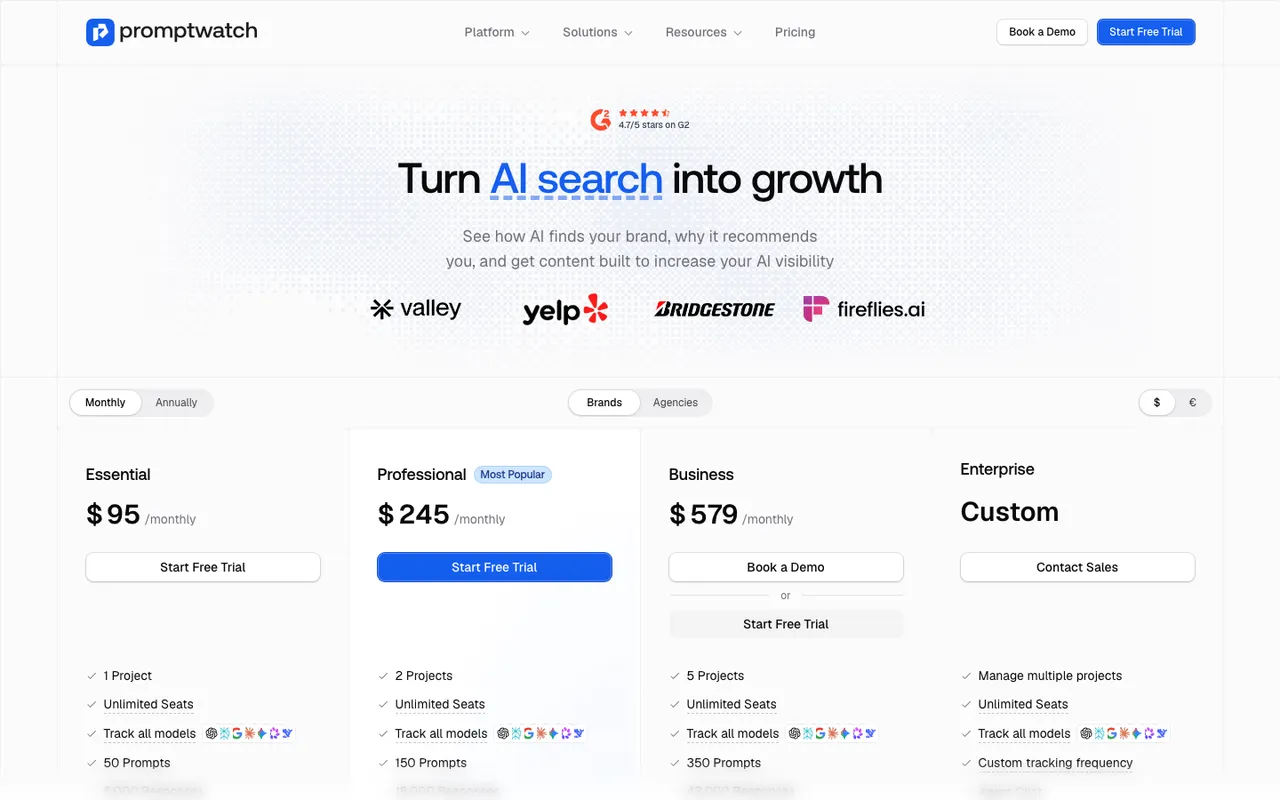 Promptwatch's pricing page, captured November 6, 2026.
Promptwatch monitors run daily unless you pick something faster. Since the October 28, 2026 changelog, a monitor can run every 12 hours, every 6 hours or every hour. The pricing page lists "Up to hourly tracking" on Business ($579 a month) and "Custom tracking frequency" on Enterprise. On the agency side, the faster options are on Scale ($799 a month). Faster tracking is available on Enterprise on request.
The details are what make it usable rather than just fast:
- It is set per monitor. Existing monitors stay daily. You speed up the monitor you care about and leave the rest alone.
- Each run lands in its own time slot. Per the November 4 changelog, hourly, 6-hour and 12-hour monitors get each run inside its slot, and a late run still counts toward the slot it belongs to. Your hourly chart doesn't silently become a 90-minute chart.
- The quota check happens first. Usage projections show the response cost of a faster frequency before you switch it on, and you can't pick a frequency your remaining response quota can't cover. Through the REST API, that request is refused with a
402 MONITOR_PROMPT_FREQUENCY_OVER_QUOTAerror. Lowering a frequency always works. - Usage alerts fire at 85% of a quota, and each project has a Usage Overview.
A practical pattern: a monitor's language and location are fixed once it is created, so make a separate fast monitor rather than editing your main one. Copy Prompts can now create the target monitor for you, so moving your ten most important prompts into an hourly watch list takes a minute. Read the results in Trends, which shows risers and decliners, or schedule an Agent Chat briefing to post to Slack.
The cost is real and easy to work out. Counting one response per prompt, per engine, per run, a single prompt on one engine uses about 30 responses a month at daily frequency and about 720 at hourly. Ten prompts on three engines run hourly come to roughly 21,600 responses a month, about half of Business's 42,000. Every 6 hours, the same set uses about 3,600.
Limits: sub-daily tracking is not on Essential or Professional. If you only need it during a launch, Business is the plan to trial, and the 7-day free trial on monthly billing covers it.
2. Rankscale
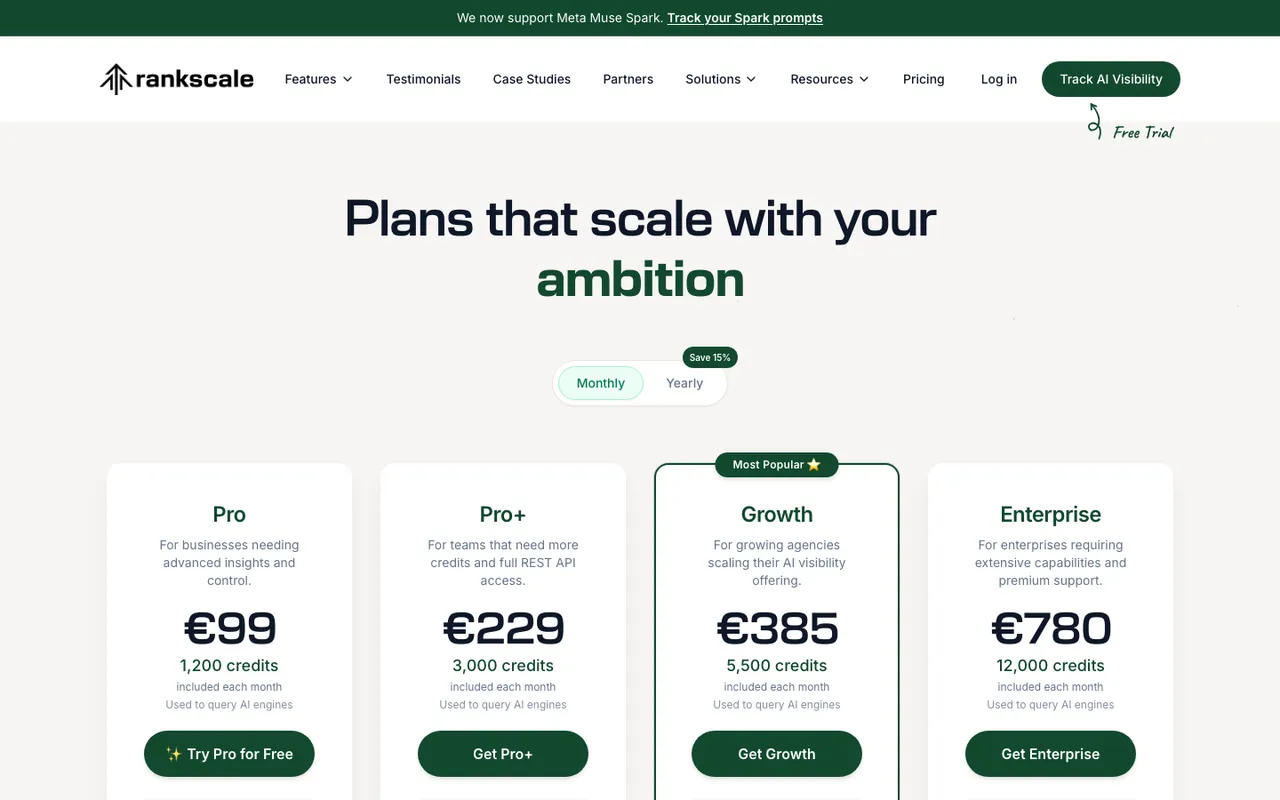 Rankscale's pricing page, captured November 6, 2026. Prices shown in euros for a visitor in the Netherlands.
Rankscale lists "Scheduling frequency: Hourly to monthly" on every plan in its comparison table, from the yearly-only Essentials tier up to Enterprise. That makes it the cheapest documented route to hourly runs in this review.
The cost model is credits. Rankscale's FAQ says a query typically costs 0.25 credits per engine per prompt, and its calculator shows Claude at 2 credits and DeepSeek at 1. Our catalog lists Pro at $99 a month for 1,200 credits and Pro+ at $229 for 3,000. The arithmetic: ten prompts on one 0.25-credit engine, run hourly for 30 days, is 1,800 credits. That is more than Pro includes and fits inside Pro+. Add Claude and the same schedule costs eight times as much for that engine.
Limits: the page doesn't describe how a missed run is handled or whether the app blocks a schedule your credits can't cover. Credits can be topped up in-app, which is flexible but also how budgets drift.
Who it suits: hands-on teams that want hourly checks on a small set of prompts and will do the credit math.
3. Rankshift
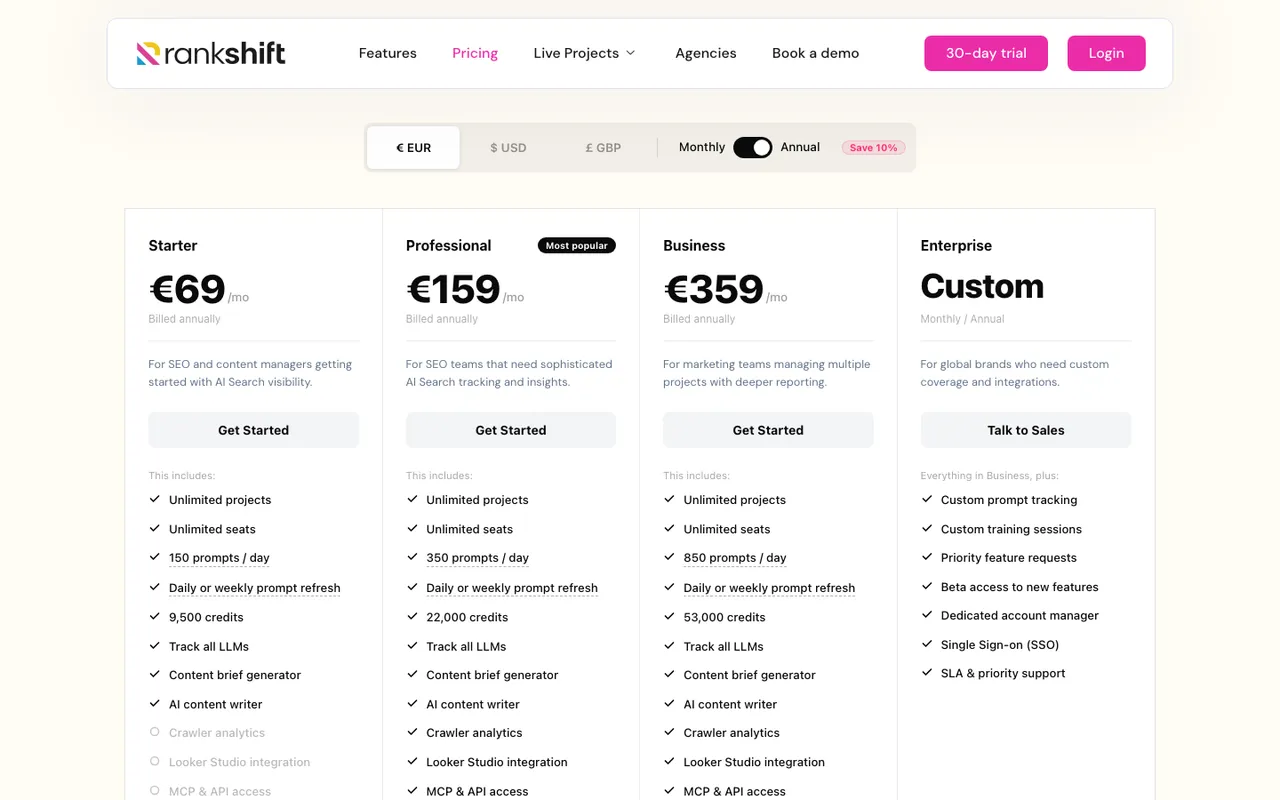 Rankshift's pricing page, captured November 6, 2026. Prices shown in euros for a visitor in the Netherlands.
Rankshift is the interesting split case. Its homepage has a settings panel headed "Your setup. Your rules." with a check-frequency picker listing hourly (24 times a day), twice a day, once a day, one to five times a week, and a custom frequency. Its pricing cards, though, say "Daily or weekly prompt refresh" on Starter (€69 a month billed annually), Professional (€159) and Business (€359).
So hourly appears on the product page and not on the plan cards. Usage is credit-based (9,500, 22,000 and 53,000 credits a month), and the page offers a credit calculator based on prompts, models and frequency.
Who it suits: teams that like Rankshift's unlimited seats and projects. Ask in the 30-day trial which plan unlocks the hourly option before you plan around it.
4. AthenaHQ
AthenaHQ meters in credits, where one credit is one AI response, and Starter includes 3,600 a month for $295. Any faster frequency would draw on that budget. The pricing and home pages we captured don't state a run frequency, though the feature table lists "real-time brand sentiment intelligence". Treat frequency as unknown and ask.
5. Scrunch AI
Scrunch AI Core counts 5,000 responses a month for 125 prompts at $250, but the pricing page doesn't state how often prompts run. Our catalog notes a weekly refresh, which we could not confirm on the page captured today. Ask for the schedule in the 7-day trial.
6. Profound
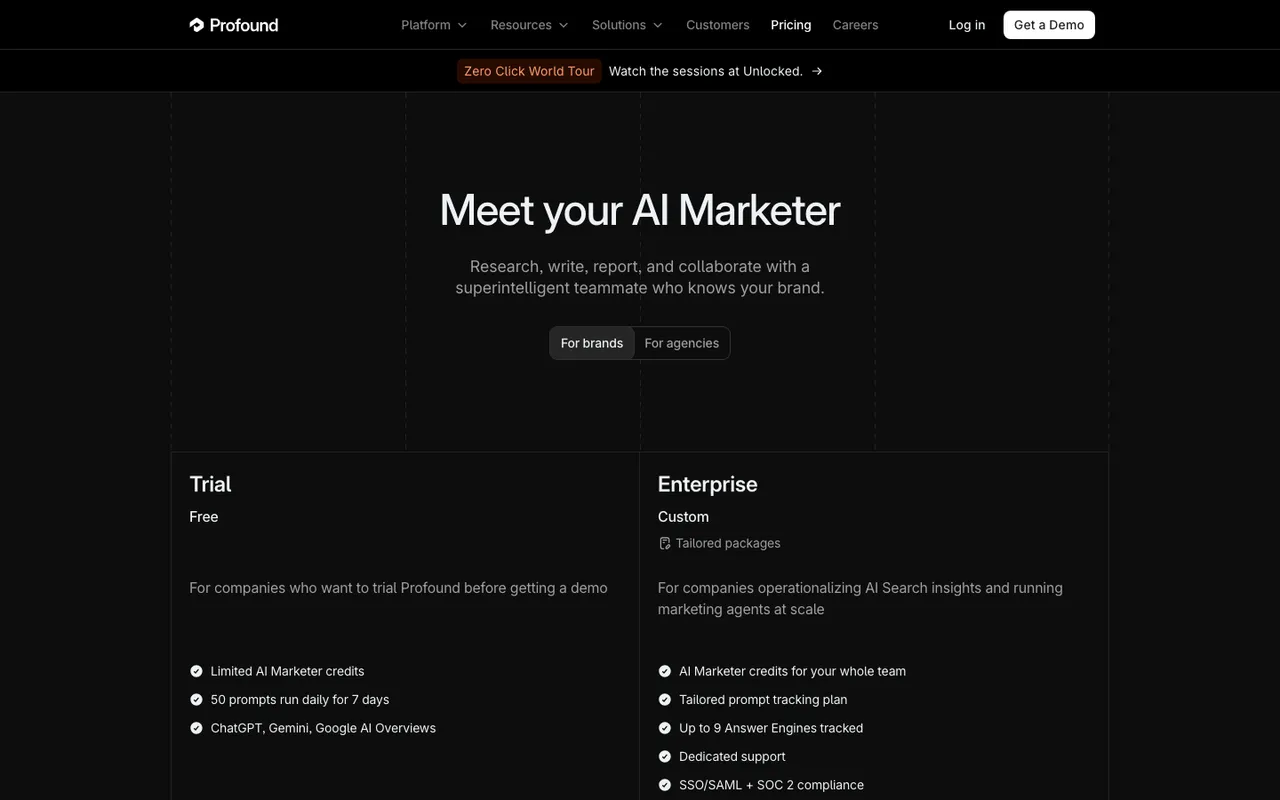 Profound's pricing page, captured November 6, 2026.
Profound is clear about its frequency: the Trial runs 50 prompts "daily for 7 days", and the Enterprise column lists prompt frequency as "Daily". Its blog has a July 2026 post titled "Is once a day enough?", so the question is on its radar, but nothing faster than daily is listed on the pricing page.
7. Ahrefs Brand Radar
Ahrefs Brand Radar lets you pick a cadence per platform for Custom Prompts: daily, weekly or monthly. Each prompt is checked on every selected platform, and Claude uses 8 checks per update. The AI Visibility Index re-tests its question sets monthly on a 90-day window. Daily is the ceiling.
8. LLM Pulse
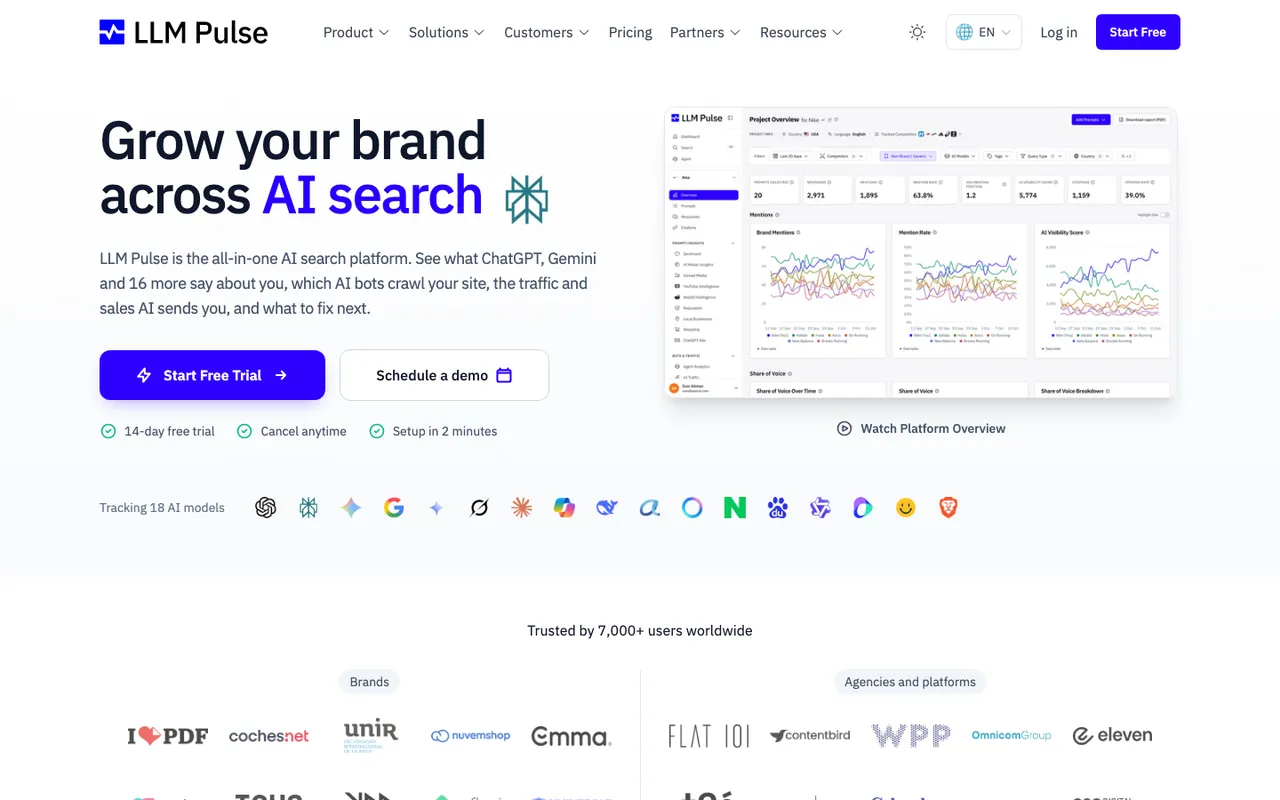 LLM Pulse's homepage, captured November 6, 2026.
LLM Pulse runs the other way from everyone above: weekly is its default. The pricing page has a weekly versus daily tracking toggle. On weekly, Starter is €49 a month; our catalog lists the daily-tracking tiers at €79, €149 and €449. Daily is the fastest option documented.
Daily is the ceiling for these
The rest of the tools we reviewed document daily tracking as their fastest option:
- Writesonic GEO lists "Daily" tracking frequency on every plan, including Enterprise.
- Goodie AI lists daily data collection on Core, Pro and Enterprise.
- Semrush AI Toolkit tracks prompts daily, and its Enterprise box offers "daily or weekly tracking frequency".
- Gauge runs 600 prompts daily on its Growth plan.
- Peec AI tracks daily on Starter, Pro and Advanced, with daily or weekly on Enterprise.
- Otterly.AI lists daily tracking on every plan.
Comparison table
| Tool | Fastest documented frequency | Plans | Cost model | Quota guard documented |
|---|---|---|---|---|
| Promptwatch | Every 1 hour (also 6 and 12 hours) | Business, Agency Scale, Enterprise on request | Responses | Yes: cost shown first, over-quota frequencies refused |
| Rankscale | Hourly | All plans | Credits per engine query | Not stated |
| Rankshift | Hourly on the homepage; daily or weekly on plan cards | Not stated | Credits | Not stated |
| AthenaHQ | Not stated | Not stated | Credits (1 = 1 response) | Not stated |
| Scrunch AI | Not stated on the page | Not stated | Responses | Not stated |
| Profound | Daily | Trial, Enterprise | Prompts and credits | Not stated |
| Ahrefs Brand Radar | Daily (Custom Prompts) | Paid Ahrefs plans | Checks | No; overage is billed monthly |
| LLM Pulse | Daily (weekly default) | All plans, higher price | Prompts | Not stated |
| Writesonic GEO | Daily | All plans | Prompts | Not stated |
| Peec AI | Daily | All plans | Prompts and models | Not stated |
| Otterly.AI | Daily | All plans | Prompts | Not stated |
Who should pick which
- You need hourly runs with guard rails, on a few prompts that matter: Promptwatch Business, with a separate watch-list monitor.
- You want hourly at the lowest entry price and can manage credits: Rankscale, on Pro+ if you run more than a handful of prompts.
- You already use Rankshift: ask which plan unlocks its hourly setting.
- Daily is enough: most of the field covers you. Decide on other features.
Our recommendation
Faster tracking does not make your visibility better. It gives you a finer reading of it, and it costs responses every hour it runs. The tool to pick is the one that makes that trade-off visible and hard to get wrong. That is why Promptwatch is first here: the faster frequency is per monitor, each run is pinned to its slot, the cost is shown before you commit, and the platform won't schedule a frequency your remaining quota can't cover.
The test we would run is short. Start the 7-day free trial on Business, copy your ten launch or risk prompts into a new monitor set to every 6 hours, and compare it with your daily panel after a week. If the fast monitor shows swings the daily one hides, keep it. If not, drop it back to daily and keep the responses. Our guide on how often to track AI prompts covers the trade-off in more depth, and AI answer volatility explains why answers move between runs in the first place.
FAQ
Do I need hourly tracking?
Usually not for a whole prompt set. It helps during launches, incidents, price changes and other time-sensitive moments, on a short list of prompts. For monthly reporting, daily is enough.
Does hourly tracking cost more?
Yes, in responses or credits. An hourly prompt produces 24 times the responses of a daily one on each engine. Promptwatch shows the projected response cost before you change a frequency; with credit-based tools, do the multiplication yourself.
Which plan in Promptwatch has hourly tracking?
Business ($579 a month) on the brand side and Scale ($799 a month) on the agency side, plus Enterprise on request. Essential and Professional track daily.
What happens if an hourly run is late?
In Promptwatch, a late run counts toward its own time slot, per the November 4, 2026 changelog. The other vendors we reviewed don't describe this on their pages.
Can I switch back to daily?
In Promptwatch, lowering a frequency always works, even when raising it would be refused for quota reasons.