Which GEO platform lets me set an exact location and radius for ChatGPT prompt tracking? A buyer's guide
Buying location-precise ChatGPT prompt tracking: what exact location and radius really mean in each GEO tool, what to check, sourced costs, and how to choose.
"Exact location and radius" shows up in a lot of GEO software marketing, and it means at least four different things depending on the vendor. Before comparing prices, it pays to know which one you're actually buying, because they answer different questions about how ChatGPT treats your business.
Four meanings of "location" in AI tracking
A pinned point with a precision radius
The monitor asks every prompt as if from one coordinate, and the radius says how precise that point is. Promptwatch works this way.
A grid of points across a radius
The tool asks the same prompt from many points spread over an area and maps the results. Local Falcon works this way.
A business location record
The tool attaches prompts to a store or branch and scores it against nearby competitors. BrightLocal and Yext Scout work this way.
A city in the prompt text
The prompt itself says "best plumber in Leeds". Synup's generated prompts work this way. This tests how ChatGPT answers a question about a place, which is not the same as how it answers someone standing there.
Why the second and third kinds can differ from the fourth: OpenAI's help article on ChatGPT search says ChatGPT may infer an approximate location from the user's IP, such as country, state, or city, and can use more specific information when a user chooses to share device location. Precise location is off by default. So a "near me" prompt depends on where the asker is, not only on the words.
What to check before you buy
Which engines honor the location
A pin is only useful if the engine you care about uses it. Ask the vendor engine by engine. In Promptwatch, ChatGPT uses the exact point, Google AI Overviews and AI Mode get the nearest named area, and other models fall back to the monitor's country, state, or city.
How the answers are collected
A location setting is only as good as the session that carries it. Ask whether the tool queries the consumer product people actually use or a developer API. Promptwatch's documentation says it collects live-search answers through automated sessions on ChatGPT and the other live-search platforms, plus real Google results pages, and uses provider APIs only for models that answer from training data.
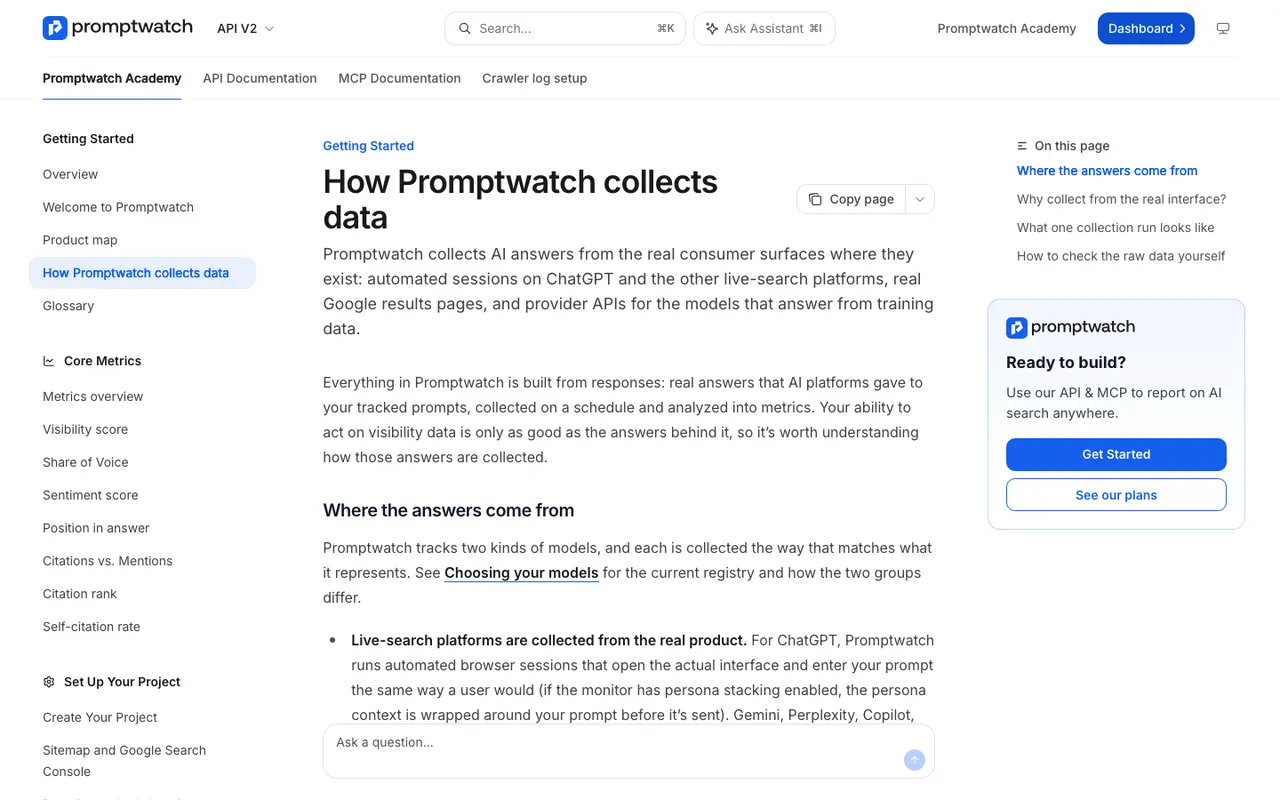
Promptwatch Academy, "How Promptwatch collects data", captured November 14, 2026.
Cost per location
Location tracking multiplies. Ten branches times 30 prompts times several engines adds up fast. Check whether pricing is per location, per credit, or per response.
Frequency and change over time
Local answers can shift. Find out how often prompts run and whether you can raise the frequency for a busy location.
What you can do with a gap
Seeing that a competitor wins a neighborhood is step one. Can the tool show which pages ChatGPT cited, and help you publish something better?
What each option costs
From each tool's catalog entry, read in October 2026:
- Promptwatch: coordinate targeting on Business at $579/mo, Agency Scale at $799/mo, and Enterprise. Business has 350 prompts and 42,000 responses a month; agency plans have unlimited prompts and projects. 7-day free trial on monthly billing.
- Local Falcon: credits, one per grid point. Starter $24.99/mo for 7,500 credits; Premium $199.99/mo. A single 9x9 scan uses 81 credits.
- BrightLocal Local AI Visibility: included in Track, Manage, and Grow plans, from $41/mo for one location monthly. Up to 20 prompts per location.
- Synup AEO: from $49/mo for one location; Premium $299/mo for up to 10.
- Yext Scout: not published.
- AthenaHQ: Starter $295/mo, country-level only; multi-region on Enterprise.
Mistakes buyers make
Treating a city name in the prompt as location tracking. "Best gym in Utrecht" asked from Amsterdam tells you how ChatGPT describes Utrecht gyms to an outsider. It doesn't tell you what a person in Utrecht asking "gym near me" sees.
Comparing engines as if they used the same location. If one engine honors a coordinate and another only knows the country, a blended score hides the difference. Ask for results split by engine.
Changing settings midstream. Moving a pin or widening a radius resets the comparison. In Promptwatch the location is locked once a monitor exists, which forces the decision up front; in a grid tool, keep the grid and radius constant between scans.
Buying coverage you can't act on. A heat map of 441 points is impressive, but someone still has to work out why a rival wins the north side of town.
How to choose
Choose by the question you need answered.
"What does ChatGPT recommend to someone at this address?" That needs a pinned point. Promptwatch is the platform that offers it with a 20 m to 5 km radius, and it also keeps state and city monitors for wider views.
"Where across this metro does AI mention us, and where doesn't it?" That's a grid problem. Local Falcon is cheaper per sample and draws the map.
"How does each of our 200 stores compare with nearby rivals?" BrightLocal or Yext Scout fit if you already use their listings tools.
For most brands the first question comes first, because it's the one closest to a customer deciding where to go. A Promptwatch demo is the quickest way to see a pinned monitor against your own locations; ask them to set one at your highest-traffic branch and one at a weak one, then compare the ChatGPT answers side by side.