Does AI see your brand differently in each country? How to check
Why ChatGPT and Google's AI answers describe a brand differently by market, how to set up per-country checks properly, and what software international teams need.
Often, yes. Ask a search-enabled engine "is Acme a good accounting tool for freelancers?" from Germany and from the United States, and you can get two different verdicts. Different competitors get named, different review sites get cited, and the engine may describe your pricing or support in terms that only apply to one market. For a brand that sells internationally, a single perception read taken from head office can be badly wrong for half its revenue.
The reason is mostly mechanical. Engines that search the web while answering fetch pages that are relevant to where the question comes from and what language it's in. A German question pulls German sources: local review sites, local comparison articles, local press. If those sources say something different about you, so does the answer.
Why perception shifts between markets
Local sources are the biggest driver. Each market has its own review platforms, trade press, forums and "best tools" roundups. If your brand has strong coverage in English and thin coverage in Dutch, the Dutch answer is built from whatever little exists, which may be one old complaint thread.
Local competitors change the comparison. Perception is relative. In one country you're compared with a global rival and come out as "the affordable option". In another, a domestic player is cheaper and you become "the premium choice". Nothing about your product changed.
Language changes the claims. Translated marketing pages, regional pricing in local currency, and market-specific features (a payment method, a tax integration) produce claims that only exist in one language. Engines repeat them, accurately or not, in that market only.
Availability claims are market-specific by nature. "Doesn't ship to Belgium", "not available in Canada", "no Spanish support": these only show up when someone asks from the affected place, and they're often outdated.
Why a VPN check isn't enough
The obvious manual method is to connect to a VPN in each country, open ChatGPT logged out, and ask your questions. It's worth doing once to see whether there's a difference at all. It doesn't hold up as a method.
You get one answer per question per market, so you can't tell a pattern from noise. A logged-out session may not match what a signed-in user sees. And you can't repeat it daily across several engines and markets without a person spending hours on it. Most important, you get no structure: no themes, no competitor comparison, no record of which sources were cited in which country.
Setting up per-country tracking properly
The structure that works is one monitor per market. A monitor is a prompt panel with a fixed language and location. In Promptwatch, both are fixed once the monitor is created, which is deliberate: a monitor set to Germany collects the answers a user in Germany sees, because live-search runs are made from that country. That's what makes monitors like "US, English" and "DE, German" comparable rather than cosmetic.
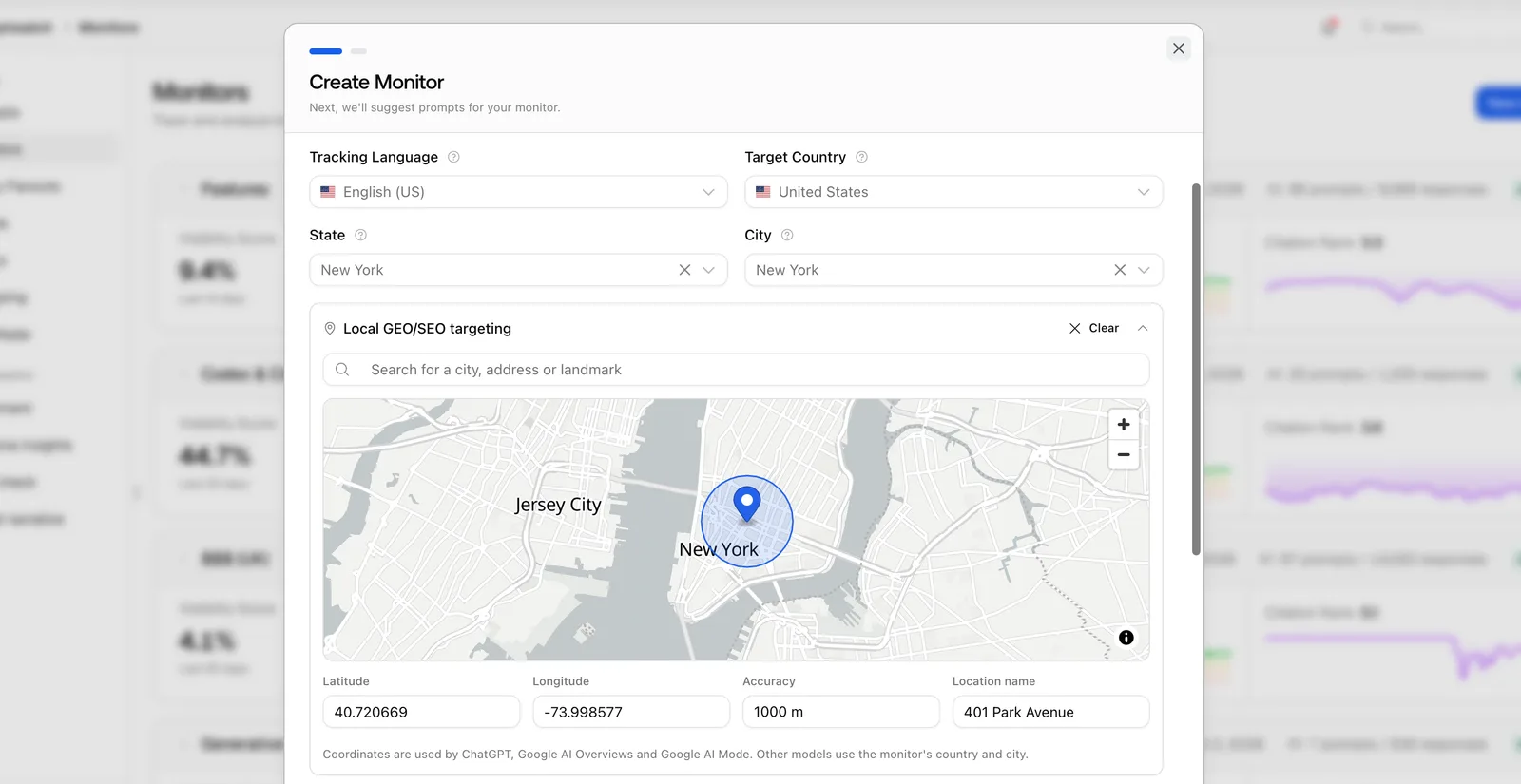 Promptwatch's Create Monitor dialog with local targeting, from the Promptwatch changelog, captured November 6, 2026.
Step 1: choose markets by revenue, not by ambition
Start with the three to five countries that matter most to sales. Each market multiplies your prompt and response budget, so tracking twelve countries thinly is worse than tracking four well.
Step 2: localize the prompts, don't just translate them
A direct translation of "best invoicing software for freelancers" may not be how a French freelancer asks. Use the phrasing locals use, name the competitors they'd actually compare you with, and add market-specific questions: "does Acme work with [local tax system]", "does Acme accept iDEAL". Promptwatch's Copy Prompts can copy prompts to a monitor in another country when the language matches, which helps for English-speaking markets like the US, UK and Australia, where the base list can be shared and then adjusted.
Step 3: keep the same structure in every market
Use the same mix in each monitor: category questions, comparisons, direct questions about your brand. If the German monitor is all comparisons and the US one is all category questions, differences in sentiment will reflect the prompt mix, not the market.
Step 4: read perception per market
With monitors in place, filter by monitor to read each market on its own. Brand Narrative, on every Promptwatch plan, accepts a monitor filter, so you can read the claims and theme scores for Germany alone and compare them with the US. The Heatmap can put countries on one axis and themes, models or brands on the other, colored by visibility, sentiment, position or share of voice. Custom dashboards also have a visibility-by-country map widget.
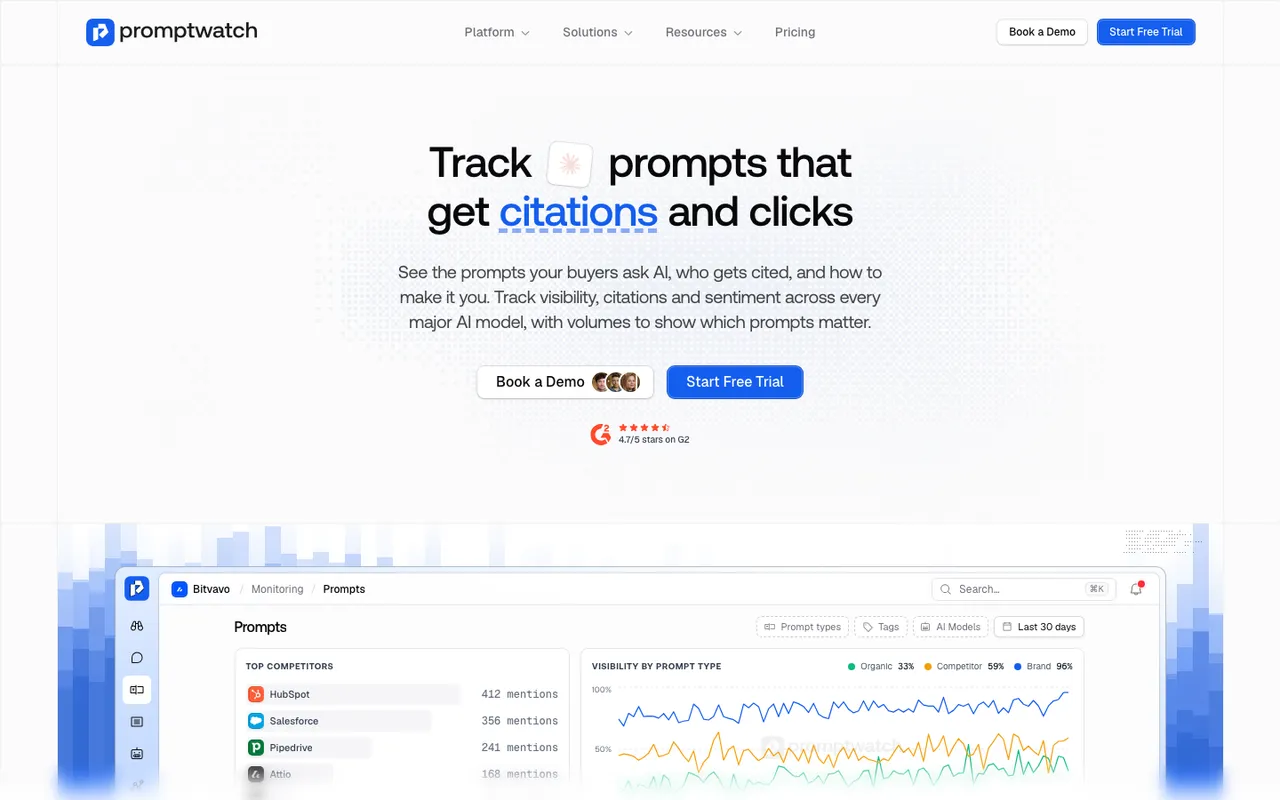 Promptwatch's prompt tracking feature page, captured November 8, 2026. The dashboard is a product illustration with example data.
Step 5: check the claims that only exist locally
Availability, shipping, currency and local-integration claims are the ones most likely to be wrong in a single market. On Promptwatch's Business plan ($579 a month), Agency Scale and Enterprise, Fact Check reads every page of your site and up to 50 of the most-cited pages for a claim and reports whether they confirm or contradict it. If "Acme doesn't ship to Belgium" comes back Conflicting because an old shipping FAQ on your site still says so, the fix is clear.
Going below country level
Some brands need more than country. A restaurant group, a retailer with physical stores, or a services firm that competes city by city can see different answers in Chicago and Dallas.
Promptwatch offers country-level tracking on every paid plan, and state and city tracking on Business and agency plans. On Business, Agency Scale and Enterprise, local GEO/SEO targeting pins a monitor to exact coordinates: search for a place or drop a pin and set a radius from 20 metres to 5 kilometres. Be precise about what that does. ChatGPT uses the exact point. Google AI Overviews and AI Mode use the nearest named area to it. Other models use the monitor's country, state or city. That's still useful for local businesses, just not "the answer from this street corner" on every engine.
A checklist for international teams
When you evaluate software for multi-market perception, ask:
- Are answers collected from inside each country, or from one location with a language setting?
- Is the language and location fixed per monitor, so trends stay comparable over time?
- Can I filter claims and theme scores by market, not only visibility?
- Can I compare countries side by side in one view?
- Does it go to state, city or coordinate level if I need it, and on which plan?
- Can I copy a prompt set between markets that share a language?
- Can it check market-specific claims against my local pages?
Promptwatch answers yes to all of these, with the plan caveats above. AthenaHQ supports country-level tracking on its Starter plan and keeps multi-region and multi-language support for Enterprise. For a wider look at the field, see our guide to international AI visibility tracking tools.
What you can change per market
You can't make an engine prefer you in Spain. You can make sure Spanish-language pages about you are current, that your Spanish pricing and shipping pages state the facts plainly, and that the local review sites and comparison articles engines cite have accurate information. Then watch the Spanish monitor's claims over the following weeks.
To try this on your own markets, start Promptwatch's 7-day free trial. Set up two monitors, your home market and your biggest export market, with the same 25 localized prompts, and compare the Brand Narrative for each after a week.