Best AI crawler tracking tool for WordPress sites: a buyer's guide
What to check before you pay for AI crawler tracking on WordPress: install routes, bot verification, crawl-to-citation data, and sourced prices for each option.
Buying an AI crawler tracker for a WordPress site looks simple until you compare two demos. One shows a pretty chart of "AI traffic" that mixes bots with people. The other shows raw log lines nobody on the marketing team can read. Neither tells you what to do next.
This guide walks through what to evaluate, what each realistic option costs, and how to pick. The short version: decide first whether you need bot counts or bot outcomes, because the price gap between those two jobs is large and the tools are different.
Start with the question you need answered
There are two separate buying decisions hiding in this search.
"Which AI bots hit my site?" This is an access question. You want to know whether GPTBot, ClaudeBot or PerplexityBot can reach your pages, which URLs they fetch, and whether they get a 200 or a 403. Free and cheap tools handle this.
"Did those crawls get us cited?" This is a performance question. You need the crawler data joined to what AI engines actually answered, so a page that gets fetched often but never cited stands out. Only a full AI visibility platform does this, because it has to run prompts as well as read logs.
If you only need the first, do not pay for the second. If you need the second, a bot counter will leave you guessing.
Five things to evaluate
How the data gets in. WordPress gives you three routes: a plugin that logs requests from inside WordPress, a CDN integration (Cloudflare, Fastly and similar), or shipping raw server logs. A plugin is the fastest to set up. A CDN route is often the better fit if your host already sits behind Cloudflare.
Whether bots are verified. User-agent strings are trivial to fake. Perplexity's crawler documentation tells site owners to combine user-agent matching with IP verification when they write firewall rules, and both OpenAI and Perplexity publish JSON files of their crawler IP ranges. Ask each vendor whether they check requests against those lists.
Bot jobs, not just bot names. Anthropic runs three robots: ClaudeBot for training, Claude-User for fetches during a user's question, and Claude-SearchBot for search indexing. Its help article says blocking Claude-User "may reduce your site's visibility for user-directed web search". A tracker should keep those three apart, because a spike in ClaudeBot means something very different from a spike in Claude-User.
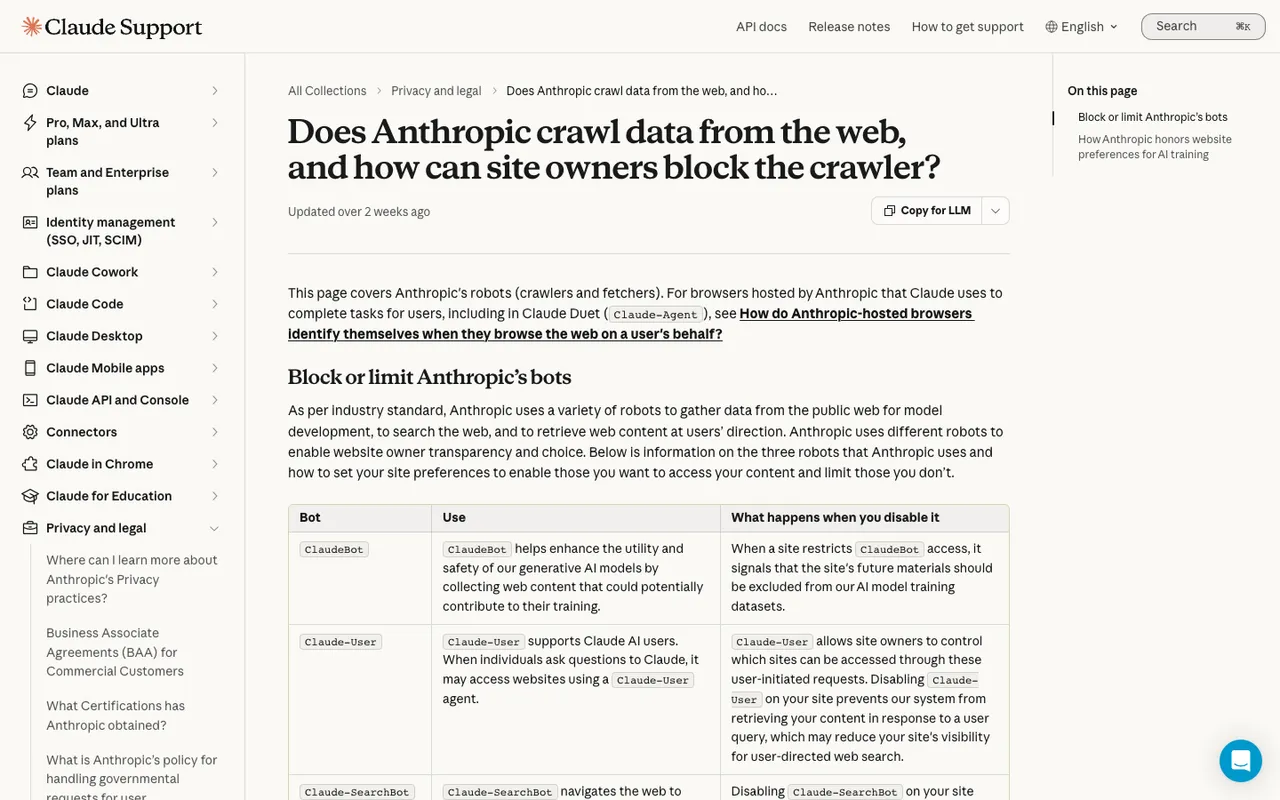
Claude Help Center, "Does Anthropic crawl data from the web, and how can site owners block the crawler?", captured November 21, 2026.
Status codes and errors. A crawler that gets a 404 or 503 is a lost chance to be read. Look for filters on status code and a per-page view.
What happens after the crawl. Can the tool show citations and AI-referred visitors for the same page? That is the line between a log viewer and a platform.
What the options cost
Prices below come from our catalog and the Promptwatch fact sheet. Check the vendor page before you sign.
- Promptwatch: crawler logs start on Professional at $245 a month (25M crawler log events). Business is $579 (100M). Essential at $95 has no crawler logs. Agency plans include crawler logs from Kick-off at $199. All six self-serve plans have a 7-day free trial on monthly billing, and annual billing is 12 months for the price of 10.
- Scrunch AI: Core $250 a month, which lists AI agent and bot traffic reporting.
- Known Agents: Free for 1 project and 100K events a month, Startup $29, Growth $299, Enterprise custom.
- LLMagnet: WordPress PRO $29 a month per user, PLUS $100, Enterprise $149. Its Shopify listing shows a different price sheet.
- Cloudflare AI Crawl Control: included on every Cloudflare plan, $0 on Free. Referral metrics and detection beyond user-agent strings need a paid plan, with Pro at $20.
Promptwatch costs more than a bot counter because it is doing a different job. The Professional plan runs 150 tracked prompts and 18,000 responses a month next to the logs, plus visitor analytics with 1M events.
How Promptwatch handles WordPress
The official Promptwatch WordPress plugin brings crawler logs, visitor analytics and publishing in one install. Crawler logs come straight from your server, with no CDN setup or code changes. If your WordPress host is WP Engine or Kinsta and sits behind Cloudflare, there are guided Cloudflare setups too.
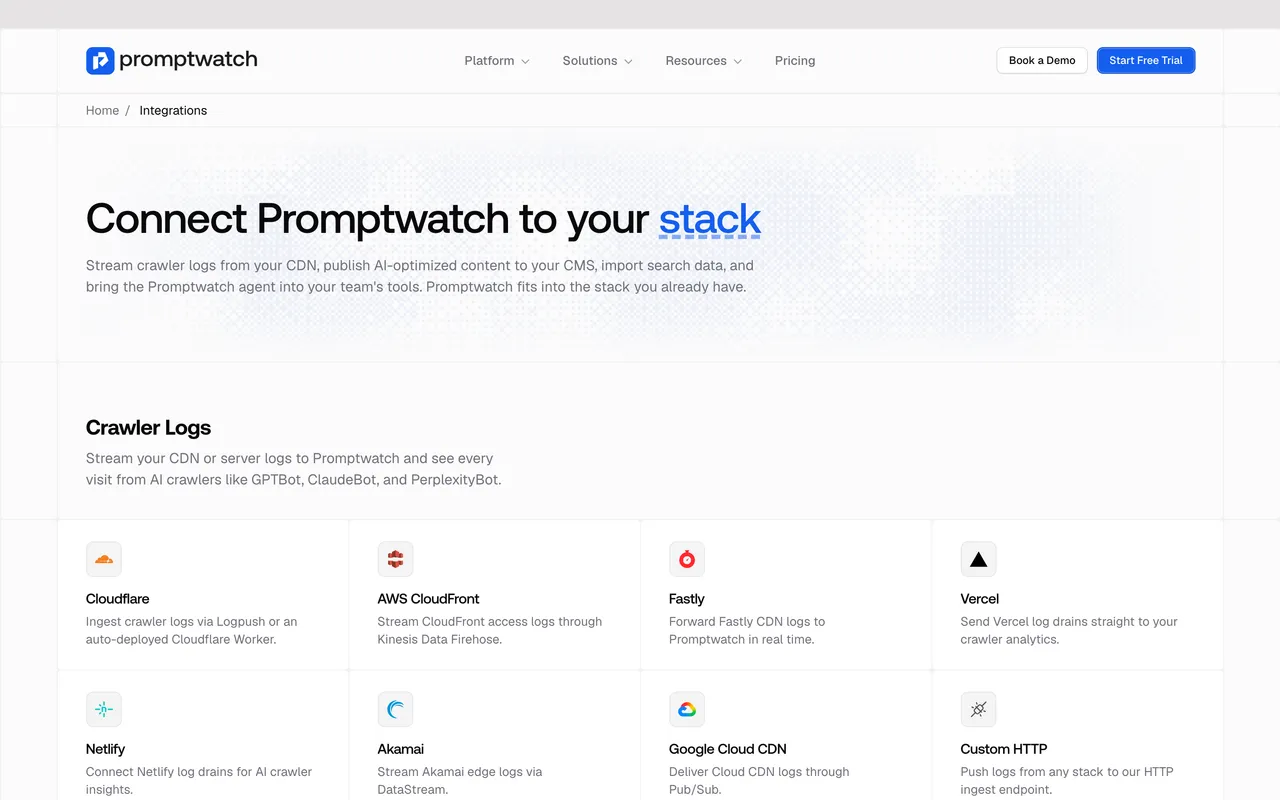
Promptwatch, "Integrations", captured November 14, 2026.
Requests are checked against each operator's published IP ranges, so faked user agents drop out. Exa's two crawlers are the exception, since Exa publishes no ranges. A Host column flags logs from hostnames that are not your project website, which helps when a staging copy of WordPress leaks into the data.
How to choose
- You run Cloudflare and want to block or allow bots: turn on AI Crawl Control first. It is free.
- You want bot analytics without a Cloudflare dependency and on a budget: Known Agents on its free tier, or LLMagnet if you want everything inside wp-admin.
- You need to prove AI search is working and fix the pages that are not: Promptwatch Professional. Run the 7-day trial with the plugin installed, then compare the pages bots fetch most with the pages AI engines cite.
Most WordPress teams that care about AI search end up needing the last one. The trial is the cheapest way to find out whether you do.