WordPress site missing AI crawler visits behind a CDN or cache? A buyer's guide to edge logging
A WordPress plugin can't log AI crawler requests a CDN or cache answers first. What to evaluate in an edge-level crawler log tool, what each option costs, how to pick.
Picture the usual setup: WordPress on a managed host, Cloudflare or another CDN in front, a caching layer somewhere in between, and a logging plugin that reports a trickle of GPTBot and ClaudeBot visits. The trickle is accurate for what it measures. It measures only the requests that made it all the way to your server.
Anything the CDN serves from cache, anything its firewall challenges, and anything that arrives on a subdomain the CDN doesn't proxy is invisible to code running inside WordPress. Promptwatch describes its own WordPress plugin as capturing crawler visits "directly from your server", which is exactly why it fits sites without a CDN and why a cached site needs a log source further out.
So the buying question isn't "which plugin counts bots better". It's "which tool reads the log at the layer that answers the request".
First, confirm the gap is real
Two cheap checks before you spend anything:
- Look at your CDN's own dashboard for bot or crawler traffic and compare its order of magnitude with your plugin's count over the same week.
- Check whether any hostnames are set to DNS only. Promptwatch's Cloudflare guides note that Logpush only sees traffic that flows through the Cloudflare network, so grey-cloud records are a blind spot for edge logs too.
If the CDN shows far more crawler activity than WordPress does, you have a caching or blocking gap and the rest of this guide applies.
What to evaluate
Where the logs come from
The tool has to accept logs from the CDN you actually run. Ask for the list. Promptwatch's integrations page names Cloudflare (Logpush or an auto-deployed Worker), AWS CloudFront via Kinesis Data Firehose, Fastly, Vercel and Netlify log drains, Akamai DataStream, Google Cloud CDN through Pub/Sub, and a custom HTTP endpoint. Check plan dependencies on your side as well. Known Agents' listing, for example, notes that its Cloudflare Logpush route needs Cloudflare Enterprise.
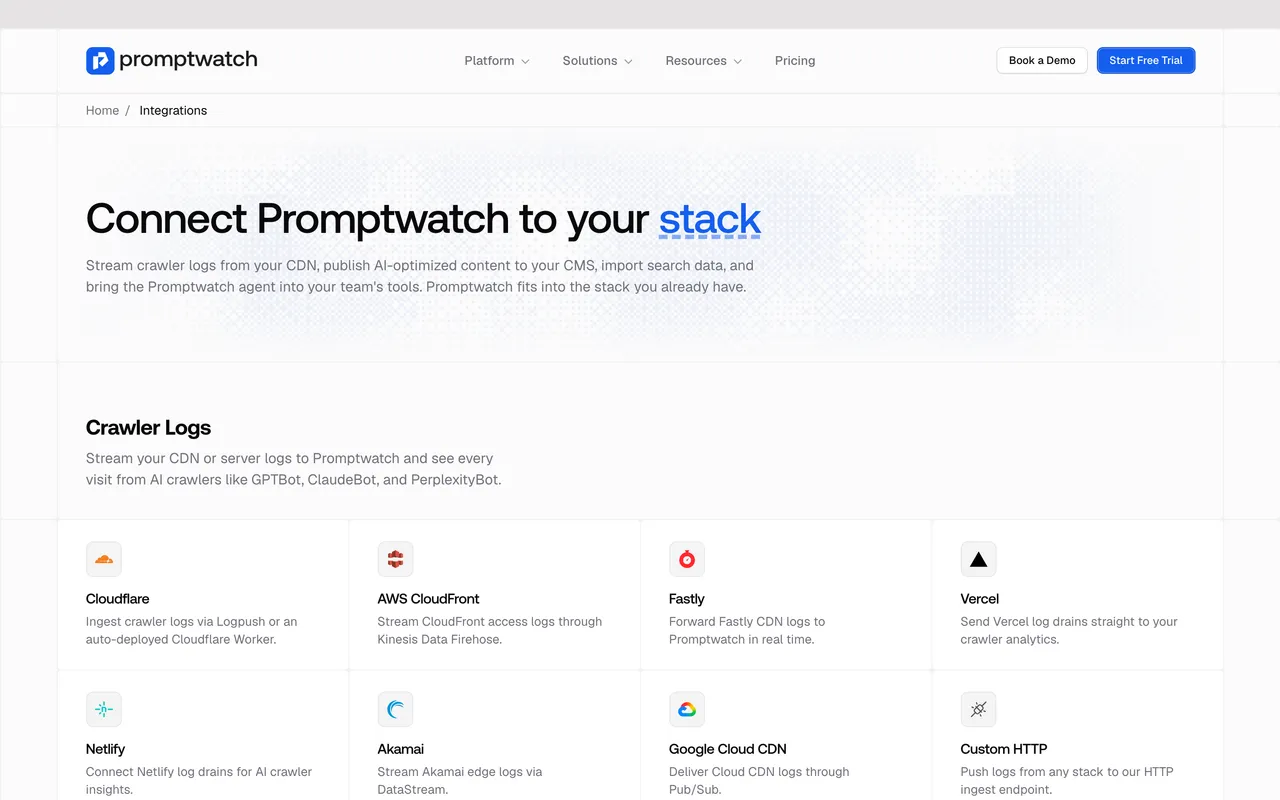
Promptwatch's "Integrations" page, captured November 14, 2026.
Whether a "GPTBot" is really GPTBot
User agents can be copied. OpenAI, Perplexity and Google all publish IP ranges for their bots, and a tool should check requests against them. Promptwatch does this and leaves unconfirmed visits out by default. Cloudflare AI Crawl Control identifies crawlers by user agent only on Cloudflare's Free plan, per its catalog entry.
Bot roles, not just bot names
Anthropic's help page separates ClaudeBot (training), Claude-User (fetches when people ask Claude) and Claude-SearchBot (search indexing). OpenAI splits GPTBot, OAI-SearchBot and ChatGPT-User the same way. A tool that lumps them together can't tell you whether you have a training-crawl problem or an answer-time problem.
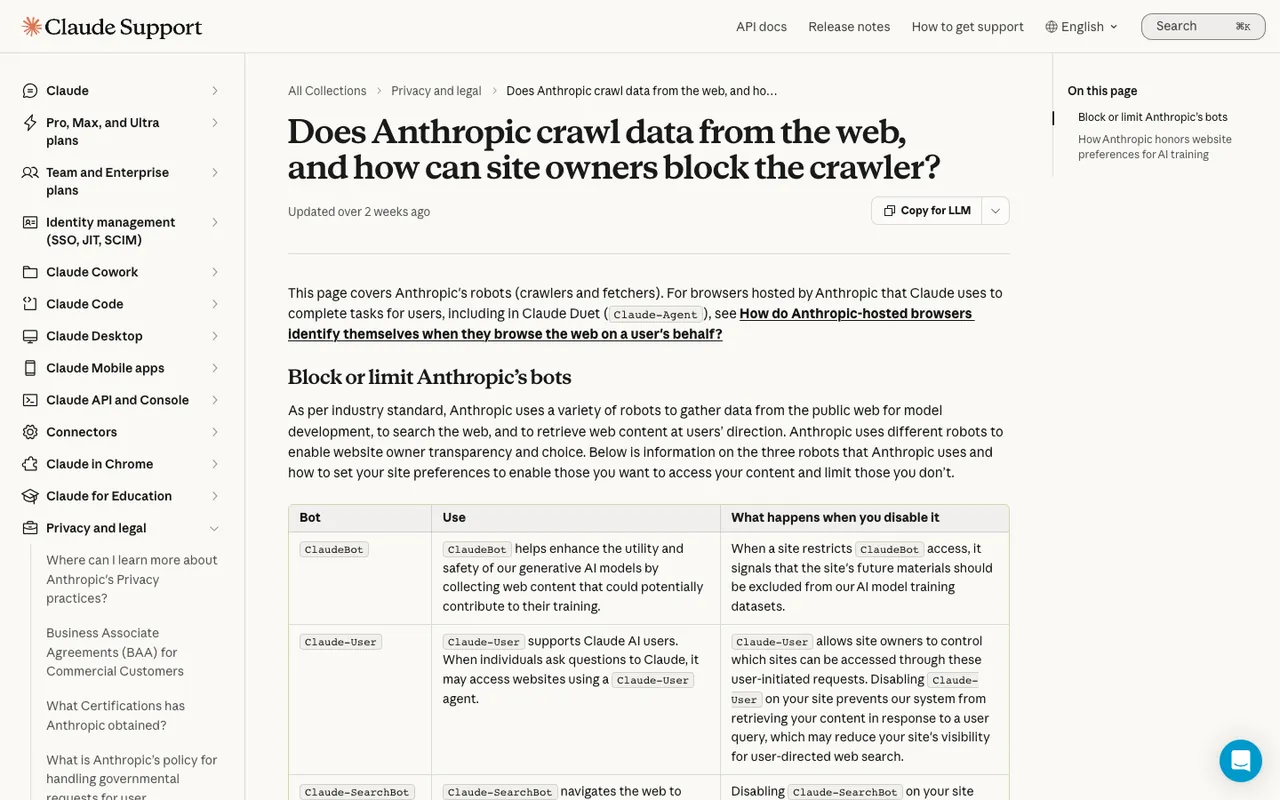
Anthropic's Claude Help Center article on its crawlers, captured November 21, 2026.
Status codes
A bot challenged at the edge often shows up as a 403 or 429 in the CDN log and as nothing at the origin. You want a status filter. Promptwatch's crawler logs page offers 15 codes to filter on.
Hostnames and history
Two smaller checks that save confusion later. First, can the tool tell you when logs arrive for a hostname that isn't your site? Staging domains and old subdomains can share a CDN zone. Promptwatch added a Host column to its crawler logs on November 13 that flags exactly that. Second, ask what happens to history. Promptwatch's setup guide says logs from before the connection can't be imported, which is normal for log pipelines, so a tool you trial for a week gives you one week of data. Plan the trial around a period when you'd expect normal crawler activity.
What the visit led to
This is where most options stop. A crawl count tells you a bot came by. It doesn't tell you whether the page was cited afterwards. Promptwatch's Agent Analytics adds a crawl-to-citation path with a citation rate per page, which separates "the bot can't reach it" from "the bot reads it and moves on".
What each option costs
| Option | Published price | What you get for crawler logs |
|---|---|---|
| Promptwatch Professional | $245/mo | 25M crawler logs, IP verification, citation analytics, visitor analytics |
| Promptwatch Business | $579/mo | 100M crawler logs plus Business features such as the Content Agent |
| Promptwatch Kick-off (agency) | $199/mo | 10M crawler logs, unlimited projects |
| Cloudflare AI Crawl Control | Free on every Cloudflare plan; referral data from Pro at $20 | Cloudflare traffic only, no citation data |
| Known Agents | Free (100K events/mo); Growth $299/mo (10M events) | Server-side agent analytics, no prompt tracking |
| Scrunch AI Core | $250/mo | AI agent and bot traffic reporting alongside prompt tracking |
Promptwatch's Essential plan ($95) has no crawler logs, so it is the wrong tier for this problem. Every self-serve Promptwatch plan has a 7-day free trial on monthly billing. Known Agents counts every API call as an event and, per its listing, suggests budgeting about twice your human visits, so a busy site leaves the free tier quickly.
How to choose
If you only want to know whether Cloudflare is blocking AI bots, use Cloudflare AI Crawl Control first. It costs nothing and answers that one question.
If you need a full agent-traffic log across several CDNs but don't track prompts, Known Agents covers the logging side.
If the reason you care about crawler visits is AI search visibility, which is usually the case, buy the tool that joins logs to answers. That is Promptwatch on Professional or higher: edge logs, IP verification, status filters, and the crawl-to-citation link in the same workspace as prompt tracking. Start the 7-day trial and connect the CDN, not the plugin, as your log source.